Vibe Check: Instant Code Audits for AI-Generated Web Projects
How solid is your AI-generated code, really? Vibe Check is a free, browser-based vibe code audit tool that scans your .zip or .html files across eight categories and gives you an instant grade, with no installs and no server uploads.
By Nathan Stoker · Published Oct 11, 2026 · 7 min read
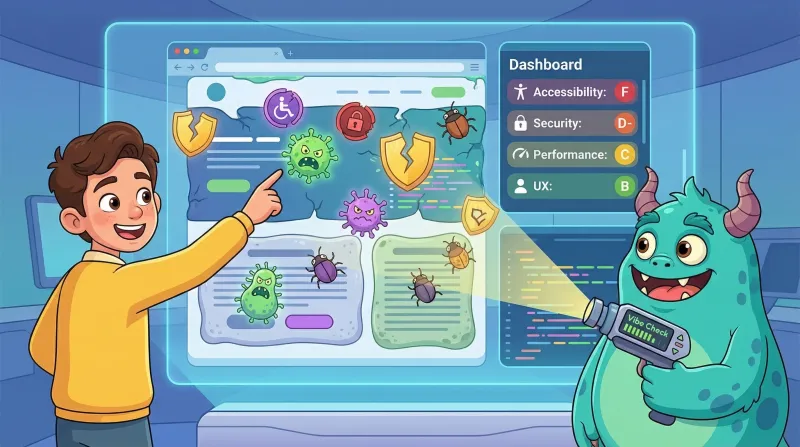
You just shipped a project built with AI. Maybe you used Bolt, Lovable, v0, or ChatGPT to scaffold the whole thing. Maybe you hand-coded it yourself and want a second opinion. Either way, there is a question you probably are not asking:
How solid is this code, really?
Vibe coding is fast. It is exciting. It can also produce code that looks great on the surface but hides accessibility gaps, security holes, SEO blind spots, and performance issues underneath. The problem is not that AI-generated code is bad. The problem is that nobody is checking it before it ships.
That is exactly why I built Vibe Check, a free browser-based code audit tool that scans your .zip or .html files across eight categories and gives you an instant grade. No installs. No uploads to a server. Everything runs locally in your browser.
Try Vibe Check free at natestoker.com/webtools/vibeCheck/
What Vibe Check Actually Does
Drop in a .zip file or a single .html file. Within seconds, you get a dashboard showing an overall letter grade (A through F) plus individual scores across eight audit categories.
Accessibility
Checks for missing alt text, broken heading hierarchy, empty links and buttons, missing form labels, focus outlines removed in CSS, and keyboard-only handler gaps. These are the kinds of issues that make your project unusable for screen reader users and fail WCAG compliance.
Code Quality
Flags leftover console.log statements, eval() usage, var instead of let/const, unhandled async functions, callback hell, magic numbers, and duplicated strings. If AI generated your code, this category tends to light up.
Security
Scans for exposed API keys (OpenAI, Google, GitHub, AWS patterns), hardcoded passwords, innerHTML XSS vectors, insecure HTTP references, missing CSP headers, .env files shipped in your bundle, and known vulnerable library versions. This one is critical for anything going to production.
Performance
Evaluates total bundle size, render-blocking scripts, missing viewport tags, unminified assets, images without lazy loading, duplicate libraries, and layout shift risks.
SEO
Checks title tags, meta descriptions, Open Graph and Twitter Card tags, heading structure, canonical URLs, structured data, favicon, and generic anchor text like "click here."
Dependencies
Parses your package.json (if present) for deprecated packages, missing lockfiles, dev tools in production deps, and bloated dependency trees. For single HTML files, it detects CDN-loaded scripts instead.
Content Quality
Catches lorem ipsum, placeholder images from sites like placehold.it and picsum.photos, visible TODO/FIXME text, framework default titles like "React App" or "Vite App," dead links, git merge conflict markers, and debug output left in the page.
Responsive Design
Looks for missing media queries, no mobile or tablet breakpoints, fixed pixel widths that cause horizontal scrolling, user-scalable=no on the viewport, small touch targets, and missing flexbox or grid usage.
That is over 100 individual checks running in your browser in a matter of seconds.
It Tells You What You Audited — and What Stack You Are Running
When your results load, Vibe Check displays the name of the site or project you scanned right at the top of the dashboard. It pulls the title directly from the <title> tag in your HTML, so you always know exactly which project the audit belongs to.
When you export your results, that title follows you. Both the JSON and Markdown export files are automatically named using the pattern vibe-check-audit-[your-site-title], so your downloads are organized and identifiable the moment they hit your folder — no renaming required.
Beyond the audit scores, Vibe Check also includes automatic stack detection that identifies the technologies in your project and surfaces them in a panel at the top of the results.
It recognizes over 40 technologies: React, Vue, Angular, Svelte, Next.js, jQuery, Tailwind, Bootstrap, Vite, Webpack, GSAP, Three.js, D3, Lodash, Moment.js, and more. For eLearning developers, it also detects Articulate Storyline, Rise 360, Adobe Captivate, iSpring, SCORM 1.2, SCORM 2004, and xAPI packages.
When it detects a version, it cross-references it against known advisories. Moment.js gets flagged as being in maintenance mode. jQuery below 3.5 gets a security warning. Tailwind below 4.0 gets a heads-up that a new version is current. The advisory data lives in a simple config block at the top of the source, so it stays easy to update.
This is especially useful when you are reviewing someone else's work or inheriting a project. You get the full picture of what is under the hood before you even start digging into the code.
Why This Matters for Vibe-Coded Projects
If you have used tools like Bolt, Lovable, v0, or Cursor to generate a web project, you have probably noticed a pattern. The output looks impressive. It runs. The demo works. But production-readiness is a different standard.
Common issues in AI-generated code include console.log statements scattered everywhere, no error handling on async functions, hardcoded API keys sitting in plain text, missing alt attributes on every image, zero media queries for responsive design, and framework boilerplate titles that never got changed.
These are not obscure edge cases. They are the norm. Vibe Check catches them in seconds instead of hours of manual review.
How to Use It
The workflow is simple:
Drop in your
.zipfile or a single.htmlfileReview your dashboard scores and findings
Click any category card to jump to its detailed findings
Filter by severity (Critical, Warning, Info)
Export your results as JSON or Markdown — automatically named after your project
Everything stays in your browser. Your code never leaves your machine. The tool is a single HTML file with no backend, no analytics, and no tracking.
It Works for eLearning Packages Too
If you are an eLearning developer working with Articulate Storyline, Rise 360, Captivate, or any SCORM/xAPI authoring tool, Vibe Check has you covered.
Drop in a published SCORM package and it will detect the eLearning platform, identify the SCORM version, verify the manifest has a launch file, and then run all eight audit categories against the published output. This is useful for catching accessibility issues in published Storyline content, flagging performance problems in exported packages, and verifying that nothing unexpected got bundled into your deliverable.
Free to Use, Free to Share
Vibe Check is available right now at natestoker.com/webtools/vibeCheck/. It is completely free, runs entirely in your browser, and works with any web project or eLearning package.
The next time you ship something built with AI (or want to sanity-check a project before it goes live), give it a vibe check first. You might be surprised what you find.
Nathan Stoker
I build custom eLearning in Storyline, Rise and JavaScript, and I make the free tools and templates on this site. Need an interaction like this in your course? Let's talk.