Line by Line: Create Text That Floats Up on Cue with Animated Underlines in Articulate Storyline
By Nathan Stoker · March 1, 2026 · 9 min read
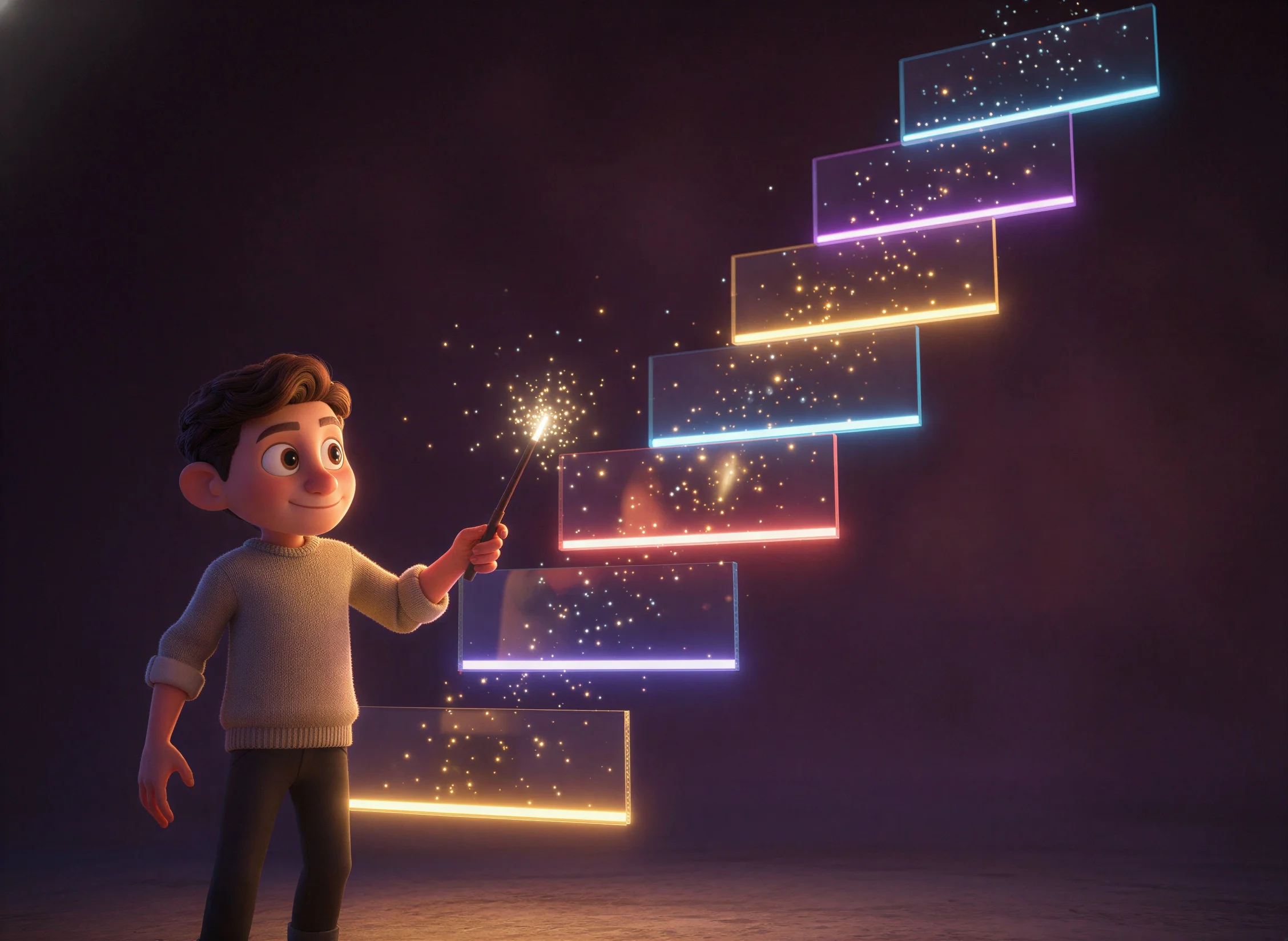
Want your text to float up gracefully exactly when your narration mentions it? Imagine paragraph blocks appearing on cue, perfectly synchronized with your audio timeline—no complex animation layers, no endless trigger configurations. This tutorial shows you how to create timeline-synced text animations in Articulate Storyline using a single JavaScript trigger.
By the end of this guide, you'll have text that animates paragraph by paragraph, responds to timeline scrubbing, and even includes elegant underlines beneath each block. Whether you're building a kinetic text slide or a narrated presentation, this technique gives you precise control over when content appears.
What You'll Build
This JavaScript solution creates a sophisticated animation system that monitors Storyline's timeline and triggers animations at specific cue points. Here's what it does:
Each paragraph block starts invisible and positioned below its final location. When the timeline reaches a designated cue point, that block floats upward while fading in. An optional underline appears beneath each paragraph, animating in sync with the text.
The script also handles timeline scrubbing. If a learner drags the seek bar backward, previously revealed blocks hide again. Jump forward, and all the blocks that should have appeared animate in sequence. This creates a polished, professional experience that feels native to Storyline.
Prerequisites
Before diving in, make sure you have a text box on your slide with multiple paragraphs. The script automatically detects paragraph breaks and treats each as a separate animation block. You'll also need to know how to find the data-model-id of your text element—we'll cover that shortly.
This technique works best with Storyline 360, though it may function in Storyline 3 with modifications. The script uses standard web APIs that modern browsers support, so compatibility shouldn't be an issue for most learners.
Finding Your Element's Data-Model-ID
Storyline assigns a unique identifier called data-model-id to every object on your slide. You need this ID to tell the script which text box to animate.
How to Locate the ID
Open your published course in a browser. Right-click on your text box and select "Inspect" to open the browser's developer tools. Look for an element with an attribute like data-model-id="5buWfEd8t8A". That string of characters is your unique identifier.
Copy this value carefully—you'll paste it into the script's configuration section. Every text box has a different ID, so make sure you're targeting the right element.
Why Not Accessibility Text?
You might wonder why we don't use accessibility names or other identifiers. The data-model-id attribute remains consistent across preview and publish, and it's always unique on the slide. Accessibility text can change or conflict with other elements, making data-model-id the most reliable targeting method.
Understanding the Configuration Options
The script begins with a configuration section that controls every aspect of the animation. Let's break down the key options you'll want to customize.
Target and Visual Settings
var TARGET_ID = '5buWfEd8t8A';    // Your text box's data-model-id
var LINE_THICKNESS_PX = 1.5;      // Underline thickness
var BASELINE_OFFSET_PX = 5;       // Space between text and underline
var LINE_COLOR = '#ffffff';       // Underline color (white)
var UNDERLINE_STYLE = 'solid';    // Options: solid, dashed, dotted, double, wavy
var SKIP_LAST_SENTENCE_UNDERLINE = true;  // Hide underline on final paragraph
The TARGET_ID is the most important setting—without the correct ID, nothing animates. The underline settings let you customize the visual style, from a simple solid line to a decorative wavy pattern.
Animation Timing
var ANIMATION_ENABLED = true;           // Toggle animations on/off
var FLOAT_DISTANCE_PX = 40;             // How far text travels upward
var ANIMATION_DURATION_MS = 600;        // Animation length in milliseconds
var ANIMATION_EASING = 'cubic-bezier(0.25, 0.46, 0.45, 0.94)';  // Smooth easing
The float distance determines how dramatic the entrance feels. A larger value creates more noticeable movement, while smaller values feel subtle. The easing function controls acceleration—the default provides a natural, organic feel.
Timeline Cue Points
var BLOCK_CUE_POINTS = [
    0,      // Block 0 appears immediately
    1000,   // Block 1 appears at 1 second
    2000,   // Block 2 appears at 2 seconds
    3000,   // Block 3 appears at 3 seconds
    4000    // Block 4 appears at 4 seconds
];
This array is where the magic happens. Each value represents a millisecond timestamp on your timeline. When the timeline reaches that point, the corresponding paragraph animates in. Match these values to your narration or background music for perfect synchronization.
How the Script Works
Understanding the script's architecture helps you troubleshoot issues and make customizations. Here's a high-level overview of what happens behind the scenes.
Initialization Phase
When the slide loads, the script waits for Storyline's player to initialize. Once ready, it searches for your target element using the data-model-id. Finding the element, it analyzes the SVG text inside and groups characters into paragraph blocks based on their vertical positions.
The script creates an overlay SVG layer for drawing underlines. Each paragraph block gets assigned an index (0, 1, 2, etc.) that corresponds to positions in your BLOCK_CUE_POINTS array.
Timeline Monitoring
After setup, the script continuously monitors the timeline position. It reads the seek bar's current value approximately 20 times per second. When the timeline crosses a cue point, the corresponding block animates in.
This monitoring also enables backward scrubbing. If the timeline position moves before a block's cue point, that block instantly hides. This bidirectional awareness creates a seamless experience regardless of how learners navigate.
Animation Execution
When a block's cue point arrives, the script applies CSS transitions to both the text elements and their underline. The text transforms from translateY(40px) and opacity: 0 to translateY(0) and opacity: 1. The easing function smooths this transition over 600 milliseconds.
Setting Up the Trigger in Storyline
Now let's implement the script in your project. The setup requires just one trigger, making this approach refreshingly simple.
Step-by-Step Instructions
Open your Storyline project and navigate to the slide containing your multi-paragraph text box. Select the base layer (or whichever layer contains your text). Click the "Create a new trigger" button in the Triggers panel.
Configure the trigger as follows:
Action: Execute JavaScript
Script: (Paste the complete code below)
When: Timeline starts
Object: (Your slide or layer name)
This trigger fires once when the timeline begins, initializing the animation system. The script then handles everything autonomously.
Testing Your Implementation
Preview your slide and watch the timeline. Each paragraph should animate in at its designated cue point. Drag the seek bar backward and forward to verify that blocks show and hide correctly.
If nothing happens, check these common issues: incorrect data-model-id, JavaScript errors in the browser console, or cue points set beyond your timeline's length.
Complete Code
Copy this entire script into your Execute JavaScript trigger. Remember to update the TARGET_ID value and adjust your BLOCK_CUE_POINTS array to match your content.
(function () {
  'use strict';

  /*** CONFIG ***/
  var TARGET_ID = '6VG3wnTjpow';
  var LINE_THICKNESS_PX = 3;
  var BASELINE_OFFSET_PX = 20;
  var LINE_COLOR = '#ffffff';
  var UNDERLINE_STYLE = 'solid'; // solid, dashed, dotted, double, wavy
  var SKIP_LAST_SENTENCE_UNDERLINE = true;

  // Style tuning (always in true screen pixels)
  var DASH_LENGTH_PX = 6;
  var GAP_LENGTH_PX  = 4;
  var DOT_SPACING_PX = 6;
  var DOUBLE_GAP_PX  = 3;
  var WAVE_AMPLITUDE_PX  = 2.5;
  var WAVE_WAVELENGTH_PX = 24;
  var WAVE_SAMPLES_PER_WAVE = 16;
  var WRAP_GAP_MULTIPLIER = 1.35;

  /*** TIMELINE-BASED ANIMATION CONFIG ***/
  var ANIMATION_ENABLED = true;
  var FLOAT_DISTANCE_PX = 40;
  var ANIMATION_DURATION_MS = 600;
  var ANIMATION_EASING = 'cubic-bezier(0.25, 0.46, 0.45, 0.94)';

  // Timeline cue points (in milliseconds)
  var BLOCK_CUE_POINTS = [
    50,
    600,
    1200,
    1800,
    2400,
    3000
  ];

  /*** DEBUG ***/
  var DEBUG = true;
  var VISUAL_DEBUG = false;

  function log() {
    if (DEBUG && window.console) console.log.apply(console, ['[SL-UL]'].concat([].slice.call(arguments)));
  }

  /*** State ***/
  var allBlocks = [];
  var lastKnownTime = -1;

  /*** Retry helper ***/
  function retryUntil(fn, cb, timeout, interval) {
    var start = Date.now(), tmo = timeout || 8000, iv = interval || 100;
    (function tick() {
      var v = null;
      try { v = fn(); } catch (e) {}
      if (v) return cb(v);
      if (Date.now() - start > tmo) return cb(null);
      setTimeout(tick, iv);
    })();
  }

  function waitForPlayer(cb) {
    retryUntil(
      function () { return (typeof window.GetPlayer === 'function') ? window.GetPlayer() : null; },
      function (p) { cb(p || null); },
      6000, 100
    );
  }

  /*** Timeline position ***/
  function getTimelinePosition() {
    var seekInput = document.querySelector('#seek input[type="range"]');
    if (seekInput) {
      var v = parseInt(seekInput.getAttribute('aria-valuenow'), 10);
      if (!isNaN(v)) return v;
    }
    try {
      var p = window.GetPlayer();
      if (p && typeof p.GetVar === 'function') {
        var t = p.GetVar('Player.SlideTime');
        if (t !== undefined) return t * 1000;
      }
    } catch (e) {}
    return 0;
  }

  /*** Locate target ***/
  function getTarget() {
    var host = document.querySelector('[data-model-id="' + TARGET_ID + '"]');
    if (!host) return null;
    var svg = host.querySelector('svg');
    if (!svg) return null;
    var maskable = host.querySelector('.slideobject-maskable') || host;

    var wrap = maskable.querySelector('[data-sl-multiline-wrap]');
    if (!wrap) {
      wrap = document.createElement('div');
      wrap.setAttribute('data-sl-multiline-wrap', '1');
      wrap.style.position = 'relative';
      wrap.style.display = 'block';
      wrap.style.width = '100%';
      wrap.style.height = '100%';
      if (svg.parentNode) {
        svg.parentNode.insertBefore(wrap, svg);
        wrap.appendChild(svg);
      } else {
        maskable.appendChild(wrap);
        wrap.appendChild(svg);
      }
    }
    return { host: host, wrap: wrap, svg: svg };
  }

  /*** ViewBox ***/
  function getViewBox(svg) {
    if (svg.viewBox && svg.viewBox.baseVal) {
      var vb = svg.viewBox.baseVal;
      if (vb.width && vb.height) return { x: vb.x, y: vb.y, width: vb.width, height: vb.height };
    }
    var attr = svg.getAttribute('viewBox');
    if (!attr) return null;
    var parts = attr.split(/\s+|,/).map(parseFloat);
    if (parts.length !== 4 || isNaN(parts[2]) || isNaN(parts[3])) return null;
    return { x: parts[0], y: parts[1], width: parts[2], height: parts[3] };
  }

  /*** Text Y helpers ***/
  function firstNumAttr(node, attr) {
    var raw = node.getAttribute(attr);
    if (!raw) return null;
    var n = parseFloat(('' + raw).trim().split(/\s+/)[0]);
    return isNaN(n) ? null : n;
  }

  function getYAnchor(node) {
    var tag = (node.tagName || '').toLowerCase();
    if (tag === 'tspan') {
      var y = firstNumAttr(node, 'y');
      if (y != null) return y;
      var p = node.closest('text');
      return p ? firstNumAttr(p, 'y') : null;
    }
    if (tag === 'text') return firstNumAttr(node, 'y');
    return null;
  }

  function getFontSizeVB(el) {
    var t = el.tagName.toLowerCase() === 'tspan' ? (el.closest('text') || el) : el;
    var fs = t.getAttribute('font-size');
    if (fs) { var n = parseFloat(fs); if (!isNaN(n) && n > 0) return n; }
    return null;
  }

  /*** Collect text elements ***/
  function collectTextItems(svg) {
    var items = [], seen = {};

    var tspans = svg.querySelectorAll('text tspan');
    for (var i = 0; i < tspans.length; i++) {
      var y = getYAnchor(tspans[i]);
      if (y != null) {
        var k = y.toFixed(3);
        if (!seen[k]) { seen[k] = true; items.push({ y: y, element: tspans[i], fontSize: getFontSizeVB(tspans[i]) }); }
      }
    }

    var texts = svg.querySelectorAll('text');
    for (var j = 0; j < texts.length; j++) {
      var y2 = getYAnchor(texts[j]);
      if (y2 != null) {
        var k2 = y2.toFixed(3);
        if (!seen[k2]) { seen[k2] = true; items.push({ y: y2, element: texts[j], fontSize: getFontSizeVB(texts[j]) }); }
      }
    }

    items.sort(function (a, b) { return a.y - b.y; });
    return items;
  }

  function minPositive(arr) {
    var m = Infinity;
    for (var i = 0; i < arr.length; i++) if (arr[i] > 0 && arr[i] < m) m = arr[i];
    return m === Infinity ? 0 : m;
  }

  /*** Group into blocks ***/
  function groupIntoBlocks(items) {
    if (!items.length) return [];
    if (items.length === 1) return [[items[0]]];

    var diffs = [];
    for (var i = 1; i < items.length; i++) diffs.push(items[i].y - items[i - 1].y);
    var threshold = (minPositive(diffs) || 1) * WRAP_GAP_MULTIPLIER;

    var groups = [], curr = [items[0]];
    for (var j = 1; j < items.length; j++) {
      if (items[j].y - items[j - 1].y > threshold) {
        groups.push(curr);
        curr = [items[j]];
      } else {
        curr.push(items[j]);
      }
    }
    groups.push(curr);
    log('Found', groups.length, 'blocks');
    return groups;
  }

  /*** Convert viewBox Y → percentage of container ***/
  function vbYToPercent(yVB, vb) {
    return ((yVB - vb.y) / vb.height) * 100;
  }

  /*** Create underline div ***/
  function createUnderlineDiv(yPercent, idx) {
    var d = document.createElement('div');
    d.setAttribute('data-sl-underline-line', '1');
    d.setAttribute('data-block-index', idx);
    d.style.position = 'absolute';
    d.style.left = '0';
    d.style.right = '0';
    d.style.top = yPercent + '%';
    d.style.pointerEvents = 'none';

    if (UNDERLINE_STYLE === 'solid') {
      d.style.height = LINE_THICKNESS_PX + 'px';
      d.style.backgroundColor = LINE_COLOR;
    } else if (UNDERLINE_STYLE === 'dashed') {
      d.style.height = '0';
      d.style.borderTop = LINE_THICKNESS_PX + 'px dashed ' + LINE_COLOR;
    } else if (UNDERLINE_STYLE === 'dotted') {
      d.style.height = '0';
      d.style.borderTop = LINE_THICKNESS_PX + 'px dotted ' + LINE_COLOR;
    } else if (UNDERLINE_STYLE === 'double') {
      d.style.height = '0';
      d.style.borderTop = (LINE_THICKNESS_PX * 3) + 'px double ' + LINE_COLOR;
    } else if (UNDERLINE_STYLE === 'wavy') {
      var h = WAVE_AMPLITUDE_PX * 2 + LINE_THICKNESS_PX;
      d.style.height = h + 'px';
      d.style.backgroundImage = buildWavyDataURI();
      d.style.backgroundRepeat = 'repeat-x';
      d.style.backgroundSize = WAVE_WAVELENGTH_PX + 'px ' + h + 'px';
    } else {
      d.style.height = LINE_THICKNESS_PX + 'px';
      d.style.backgroundColor = LINE_COLOR;
    }
    return d;
  }

  function buildWavyDataURI() {
    var w = WAVE_WAVELENGTH_PX, h = WAVE_AMPLITUDE_PX * 2 + LINE_THICKNESS_PX;
    var cy = h / 2, amp = WAVE_AMPLITUDE_PX;
    var n = Math.max(8, WAVE_SAMPLES_PER_WAVE), step = w / n, pts = [];
    for (var i = 0; i <= n; i++) {
      var x = i * step, phase = (x / w) * 2 * Math.PI;
      pts.push((i ? 'L' : 'M') + x.toFixed(2) + ' ' + (cy + amp * Math.sin(phase)).toFixed(2));
    }
    var s = '<svg xmlns="http://www.w3.org/2000/svg" width="' + w + '" height="' + h + '">' +
            '<path d="' + pts.join(' ') + '" fill="none" stroke="' + LINE_COLOR + '" stroke-width="' + LINE_THICKNESS_PX + '"/></svg>';
    return 'url("data:image/svg+xml,' + encodeURIComponent(s) + '")';
  }

  /*** Debug dot ***/
  function debugDot(yPct, color) {
    var d = document.createElement('div');
    d.style.cssText = 'position:absolute;left:8px;top:' + yPct + '%;width:8px;height:8px;border-radius:50%;pointer-events:none;z-index:9999;transform:translateY(-50%);background:' + color;
    return d;
  }

  /*** =========================================================
       ANIMATION — 100% CSS pixel-based.

       Text elements are wrapped in <g> inside the SVG.
       CSS transform on <g> operates in SCREEN PIXELS, not
       viewBox units — this is the key to consistent animation
       across desktop and mobile regardless of pAR scaling.
       ========================================================= ***/

  var TRANSITION_CSS = 'opacity ' + ANIMATION_DURATION_MS + 'ms ' + ANIMATION_EASING +
                       ', transform ' + ANIMATION_DURATION_MS + 'ms ' + ANIMATION_EASING;

  function setHidden(el, isDiv) {
    el.style.transition = 'none';
    el.style.opacity = '0';
    if (isDiv) {
      el.style.transform = 'translateY(' + FLOAT_DISTANCE_PX + 'px)';
    } else {
      // SVG <g> — CSS transform in px
      el.style.transform = 'translateY(' + FLOAT_DISTANCE_PX + 'px)';
    }
  }

  function setVisible(el) {
    el.style.transition = TRANSITION_CSS;
    el.style.opacity = '1';
    el.style.transform = 'translateY(0)';
  }

  function setHiddenInstant(el) {
    el.style.transition = 'none';
    el.style.opacity = '0';
    el.style.transform = 'translateY(' + FLOAT_DISTANCE_PX + 'px)';
  }

  function animateBlockIn(bd) {
    if (!bd || bd.animated) return;
    log('Animate IN block', bd.index);
    bd.animated = true;

    if (bd.textGroup) setVisible(bd.textGroup);
    if (bd.underlineDiv) setVisible(bd.underlineDiv);
  }

  function hideBlock(bd) {
    if (!bd || !bd.animated) return;
    log('Hide block', bd.index);
    bd.animated = false;

    if (bd.textGroup) setHiddenInstant(bd.textGroup);
    if (bd.underlineDiv) setHiddenInstant(bd.underlineDiv);
  }

  function updateAnimations(time) {
    if (!ANIMATION_ENABLED) return;
    for (var i = 0; i < allBlocks.length; i++) {
      var bd = allBlocks[i];
      var cue = BLOCK_CUE_POINTS[i] || (i * 1000);
      if (time >= cue && !bd.animated) animateBlockIn(bd);
      else if (time < cue && bd.animated) hideBlock(bd);
    }
  }

  /*** Clean up ***/
  function cleanUp(wrap, svg) {
    // Remove old underline divs
    var old = wrap.querySelectorAll('[data-sl-underline-line="1"]');
    for (var i = 0; i < old.length; i++) old[i].parentNode.removeChild(old[i]);

    // Remove old SVG overlay
    var ov = wrap.querySelector('svg[data-sl-underline-overlay="1"]');
    if (ov) ov.parentNode.removeChild(ov);

    // Unwrap any <g data-sl-anim-group> we previously inserted
    var gs = svg.querySelectorAll('g[data-sl-anim-group]');
    for (var j = 0; j < gs.length; j++) {
      var g = gs[j];
      // Move children back to parent
      while (g.firstChild) g.parentNode.insertBefore(g.firstChild, g);
      g.parentNode.removeChild(g);
    }

    // Remove debug dots
    var dots = wrap.querySelectorAll('[data-sl-debug-dot]');
    for (var k = 0; k < dots.length; k++) dots[k].parentNode.removeChild(dots[k]);
  }

  /*** =========================================================
       Wrap a set of SVG <text> elements in a <g> for animation.
       The <g> receives CSS transforms in screen pixels.
       ========================================================= ***/
  function wrapInGroup(textTargets) {
    if (!textTargets.length) return null;

    // All targets should share the same parent (the SVG root or a sub-group)
    var parent = textTargets[0].parentNode;

    var g = document.createElementNS('http://www.w3.org/2000/svg', 'g');
    g.setAttribute('data-sl-anim-group', '1');

    // Insert the group where the first text element is
    parent.insertBefore(g, textTargets[0]);

    // Move all text elements into the group
    for (var i = 0; i < textTargets.length; i++) {
      g.appendChild(textTargets[i]);
    }

    return g;
  }

  /*** Main render ***/
  function renderUnderlines(target) {
    if (!target) return;
    var wrap = target.wrap, svg = target.svg;

    log('=== Rendering ===');

    var vb = getViewBox(svg);
    if (!vb || !vb.width || !vb.height) { log('No viewBox'); return; }

    var rect = svg.getBoundingClientRect();
    var scaleY = vb.height / (rect.height || 1);
    log('viewBox:', vb.width + '×' + vb.height, ' rendered:', Math.round(rect.width) + '×' + Math.round(rect.height));

    // Clean previous render
    cleanUp(wrap, svg);
    allBlocks = [];

    var textItems = collectTextItems(svg);
    if (!textItems.length) { log('No text'); return; }

    log('Text items:', textItems.length);
    if (DEBUG) {
      textItems.forEach(function (item, i) {
        log('  [' + i + '] y=' + item.y.toFixed(1) + ' fs=' + (item.fontSize || '?') +
            ' "' + (item.element.textContent || '').substring(0, 40) + '"');
      });
    }

    var blocks = groupIntoBlocks(textItems);

    var lastDraw = blocks.length - 1;
    if (SKIP_LAST_SENTENCE_UNDERLINE) lastDraw = Math.max(-1, lastDraw - 1);

    var baselineOffsetVB = BASELINE_OFFSET_PX * scaleY;

    for (var g = 0; g < blocks.length; g++) {
      var block = blocks[g];
      var underlineDiv = null;

      // --- Underline (HTML div, pixel-perfect thickness) ---
      if (g <= lastDraw) {
        var last = block[block.length - 1];
        var descent = baselineOffsetVB;
        if (last.fontSize) descent = last.fontSize * 0.35;

        var yLineVB = last.y + descent;
        var yPct = vbYToPercent(yLineVB, vb);

        log('Block', g, ': baseY=' + last.y.toFixed(1), '+ ' + descent.toFixed(1),
            '= ' + yLineVB.toFixed(1), '(' + yPct.toFixed(1) + '%)');

        underlineDiv = createUnderlineDiv(yPct, g);
        wrap.appendChild(underlineDiv);

        if (VISUAL_DEBUG) {
          var bPct = vbYToPercent(last.y, vb);
          var d1 = debugDot(bPct, 'red'); d1.setAttribute('data-sl-debug-dot', '1');
          var d2 = debugDot(yPct, 'lime'); d2.setAttribute('data-sl-debug-dot', '1');
          wrap.appendChild(d1);
          wrap.appendChild(d2);
        }
      }

      // --- Collect unique <text> targets ---
      var textTargets = [];
      block.forEach(function (item) {
        var el = item.element;
        var tgt = el.tagName.toLowerCase() === 'tspan' ? (el.closest('text') || el) : el;
        if (tgt && textTargets.indexOf(tgt) === -1) textTargets.push(tgt);
      });

      // --- Wrap text in <g> for CSS pixel animation ---
      var textGroup = wrapInGroup(textTargets);

      // --- Set initial hidden state ---
      if (ANIMATION_ENABLED) {
        if (textGroup) setHidden(textGroup, false);
        if (underlineDiv) setHidden(underlineDiv, true);
      }

      allBlocks.push({
        index: g,
        textGroup: textGroup,
        underlineDiv: underlineDiv,
        animated: false
      });
    }

    log('Ready:', allBlocks.length, 'blocks');
    updateAnimations(getTimelinePosition());
  }

  /*** Watchers ***/
  function startMonitor() {
    setInterval(function () {
      var t = getTimelinePosition();
      if (Math.abs(t - lastKnownTime) > 10) {
        lastKnownTime = t;
        updateAnimations(t);
      }
    }, 50);
  }

  function watchSeekBar() {
    var el = document.querySelector('#seek input[type="range"]');
    if (!el) { setTimeout(watchSeekBar, 500); return; }
    new MutationObserver(function (muts) {
      for (var i = 0; i < muts.length; i++) {
        if (muts[i].attributeName === 'aria-valuenow') {
          var v = parseInt(el.getAttribute('aria-valuenow'), 10);
          if (!isNaN(v)) { lastKnownTime = v; updateAnimations(v); }
        }
      }
    }).observe(el, { attributes: true });
  }

  function watchPlayPause() {
    var btn = document.querySelector('#play-pause');
    if (!btn) return;
    btn.addEventListener('click', function () {
      setTimeout(function () { updateAnimations(getTimelinePosition()); }, 100);
    });
  }

  function watchReset() {
    var btn = document.querySelector('#reset');
    if (!btn) return;
    btn.addEventListener('click', function () {
      log('Reset');
      for (var i = 0; i < allBlocks.length; i++) hideBlock(allBlocks[i]);
      lastKnownTime = 0;
    });
  }

  function attachObservers(target) {
    var timer;
    window.addEventListener('resize', function () {
      clearTimeout(timer);
      timer = setTimeout(function () { renderUnderlines(target); }, 150);
    });
    if (window.screen && window.screen.orientation) {
      window.screen.orientation.addEventListener('change', function () {
        setTimeout(function () { renderUnderlines(target); }, 300);
      });
    }
    watchSeekBar();
    watchPlayPause();
    watchReset();
    startMonitor();
  }

  /*** MAIN ***/
  waitForPlayer(function () {
    log('Player ready, target:', TARGET_ID);
    retryUntil(getTarget, function (target) {
      if (!target) { log('Target not found'); return; }
      renderUnderlines(target);
      attachObservers(target);
      log('=== Ready ===');
    }, 8000, 100);
  });
})();
Customizing Your Timeline Cue Points
The BLOCK_CUE_POINTS array determines exactly when each paragraph appears. Getting these values right makes the difference between a polished presentation and a clunky one.
Aligning with Audio
If you're syncing to narration, preview your slide and note the timestamps where you want each paragraph to appear. Storyline displays the timeline position in milliseconds in the seek bar. Write down each timestamp and update your array accordingly.
For example, if your narrator says "First," at 1.2 seconds, "Second," at 3.5 seconds, and "Finally," at 6 seconds, your array would be:
var BLOCK_CUE_POINTS = [
    1200,   // "First" appears at 1.2 seconds
    3500,   // "Second" appears at 3.5 seconds
    6000    // "Finally" appears at 6 seconds
];
Creating Rhythmic Reveals
Sometimes you don't have specific audio cues—you just want evenly spaced reveals. In that case, choose a consistent interval:
var BLOCK_CUE_POINTS = [
    500,    // Half second in
    1500,   // Every second thereafter
    2500,
    3500,
    4500
];
This creates a predictable rhythm that feels intentional and polished.
Troubleshooting Common Issues
Even with careful setup, you might encounter issues. Here are solutions to the most common problems.
Text Doesn't Animate
First, verify your TARGET_ID matches exactly. Open browser developer tools, find your text element, and confirm the data-model-id value. A single wrong character prevents the script from finding its target.
Check that ANIMATION_ENABLED is set to true. Also ensure your BLOCK_CUE_POINTS array has enough entries for all your paragraphs. If you have five paragraphs but only three cue points, blocks 4 and 5 will use default timing (every 1000ms from the last defined point).
Animations Start Too Early or Late
Double-check your cue point values. Remember, these are milliseconds, not seconds. One second equals 1000 milliseconds. A common mistake is entering "2" when you meant "2000."
Seek Bar Scrubbing Doesn't Work
The script relies on finding the seek bar input element. If your Storyline player uses a custom skin that changes element IDs, the script may not detect timeline changes. Check that #seek input[type="range"] exists in your published output.
Underlines Appear in Wrong Position
Underline positioning depends on accurate viewBox calculations. If your text box uses unusual scaling or the SVG structure differs from standard Storyline output, adjust the BASELINE_OFFSET_PX value to move underlines up (negative) or down (positive).
Accessibility Considerations
Timeline-synced animations can enhance learning when implemented thoughtfully. However, consider learners who may find moving content distracting or who use screen readers.
The script's CSS-based animations respect the browser's reduced motion preference. Learners who've enabled reduced motion in their operating system won't see the float-up effect—text will simply appear at each cue point. Test your course with reduced motion enabled to verify the fallback behavior.
For screen reader users, the underlying text remains in the DOM throughout. Screen readers announce all content regardless of visual opacity, so narration sync primarily benefits sighted learners. Consider providing a "show all text" option for learners who prefer static content.
Taking It Further
Once you've mastered the basics, experiment with these enhancements.
Try different easing functions for varied animation feels. A bouncy cubic-bezier(0.68, -0.55, 0.265, 1.55) creates playful motion, while ease-in provides a more dramatic reveal. Search for "CSS easing functions" to explore options.
Combine this technique with Storyline's built-in motion paths for complex entrances. Trigger the JavaScript animation first, then let Storyline's timeline continue with additional effects on revealed elements.
Consider creating multiple text boxes with separate scripts, each with unique cue points. This allows you to reveal content from different screen areas—headlines from above, body text from below, call-outs from the sides.
Conclusion
Timeline-synced text animations transform static slides into dynamic presentations that keep pace with narration. The JavaScript approach offers precision that Storyline's native tools struggle to match, especially for complex multi-paragraph reveals.
Start with the complete code provided, customize your TARGET_ID and BLOCK_CUE_POINTS, and experiment with underline styles. Once you see your first synchronized reveal, you'll find countless applications for this technique.
Ready to implement this in your next project? Download the code, find your text box's data-model-id, and sync your first animation. Your learners will notice the difference that polished, purposeful animation makes.