Create a JavaScript Matching Activity in Articulate Storyline
Learn how to create a JavaScript matching activity in Articulate Storyline with visual connection lines, audio feedback, randomized definitions, and full keyboard accessibility. This step-by-step tutorial includes complete code and customization options to build professional-grade drag-and-drop matching interactions.
By Nathan Stoker · Published Mar 15, 2026 · Updated Apr 18, 2026 · 15 min read
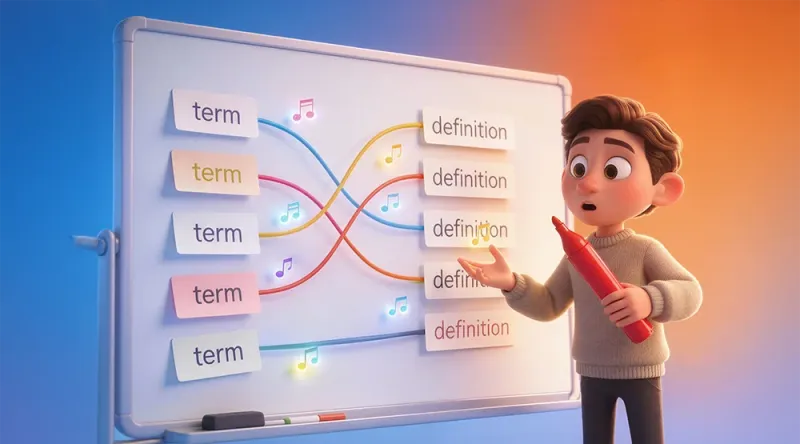
Build a JavaScript Matching Activity in Articulate Storyline with SVG Lines, Audio Feedback, and Keyboard Accessibility
Drag-and-drop matching activities are among the most engaging interactions you can add to your eLearning courses. But what if you could take them further than Storyline's built-in features allow? With a custom JavaScript matching activity in Articulate Storyline, you can create connections that draw visible lines between matched items, play satisfying audio feedback, randomize definitions to prevent cheating, and even support full keyboard accessibility.
In this tutorial, you'll learn how to implement a professional-grade matching interaction that goes far beyond what's possible with native Storyline features alone.
What You'll Build
This JavaScript-powered matching activity includes features that will impress your stakeholders and delight your learners:
Visual connection lines that draw between matched terms and definitions using SVG
Audio feedback with pleasant chimes for correct matches and error sounds for incorrect attempts
Randomized definition positions to prevent learners from memorizing visual patterns
Strict matching mode that only accepts correct answers
Keyboard accessibility with full arrow key navigation and screen reader announcements
Automatic Storyline variable updates to trigger congratulations layers or completion states
The interaction works by creating an SVG overlay on your slide that draws curved lines between matched pairs. When learners drag from a term to a definition (or vice versa), the code validates the match and either accepts it with a satisfying chime or rejects it with visual and audio feedback.
Prerequisites and Setup
Before diving into the code, you'll need to set up your Storyline file with the correct elements. The JavaScript finds your interactive elements using their data-model-id attributes, which Storyline automatically assigns to every object on your slide.
Step 1: Create Your Visual Elements
On your slide, create two columns of objects. These can be shapes with text, text boxes, or any other Storyline objects. For a standard five-pair matching activity:
Create five term objects on the left side of your slide
Create five definition objects on the right side
Arrange them in matching order initially (Term 1 across from Definition 1, etc.)
The code will randomize the definition positions when the slide loads, so don't worry about the initial arrangement giving away answers.
Step 2: Find Your Object IDs
Here's where many developers get stuck. To make the JavaScript work with your specific objects, you need to find each element's data-model-id. This is different from the accessibility name or any other identifier you see in Storyline's authoring environment.
To find these IDs, publish your project and open the published story_content/frame.xml file in a text editor. Search for your object names to find entries like this:
<object type="6" ... name="Term_Photosynthesis" ... AccName="Photosynthesis">
  <data dataModelID="5j24HmZgM84" ...>
The dataModelID value (like 5j24HmZgM84) is what you'll use in the JavaScript.
Step 3: Create a Storyline Variable
Create a True/False variable in Storyline named linedrag_congrats (or customize this in the code). The JavaScript will set this variable to true when all matches are correct, allowing you to trigger a congratulations layer or other completion actions.
Understanding the Code Structure
The JavaScript is organized into several logical sections. Let's walk through the key components before looking at the complete code.
Configuration Options
At the top of the script, you'll find a CONFIG object that controls the interaction's behavior:
const CONFIG = {
  STRICT_MATCHING: true,        // Only accept correct matches
  ENABLE_AUDIO: true,           // Play sound feedback
  ENABLE_VIBRATION: true,       // Animate lines when connected
  RANDOMIZE_DEFINITIONS: true,  // Shuffle definition positions
  PREVENT_SEQUENTIAL: true,     // Prevent accidental correct positions
  STORYLINE_ALL_CORRECT_VAR: 'linedrag_congrats',
  ENABLE_ACCESSIBILITY: false,  // Keyboard navigation support
  SHOW_INSTRUCTIONS: true       // Show keyboard instructions panel
};
Setting STRICT_MATCHING to true means learners cannot connect incorrect pairs at all. Set it to false if you want to allow incorrect matches and provide feedback later.
The Object ID Arrays
The most critical part of customization is updating these arrays with your own object IDs:
const TERM_IDS = [
  '6WxM89fw2GN',
  '6WfRyrvPFzG',
  '5WEpnpK0tG5',
  '5Xu2zHC5VK1',
  '5oxlZ1tEB3r'
];

const DEF_IDS = [
  '5xLclYfBfSS',
  '6D9rg00KREn',
  '6JXl9y8pBEY',
  '67hqWQS00R5',
  '5lLQiQ152hK'
];
The order matters! The first term ID pairs with the first definition ID, the second term with the second definition, and so on. This is how the code knows which matches are correct.
Audio Feedback System
The code creates pleasant musical chimes using the Web Audio API. Each correct match plays a different note, building a satisfying chord as learners complete the activity:
const CHIME_CONFIG = {
  BASE_FREQUENCY: 261.63,  // Middle C
  DURATION: 1.2,
  GAIN: 0.4,
  TYPE: 'sine'
};
Incorrect match attempts trigger a different sound defined in ERROR_SOUND_CONFIG, providing clear feedback without being harsh or punishing.
SVG Line Drawing
Connection lines are drawn as SVG <path> elements using quadratic Bézier curves. The code creates an invisible SVG overlay that sits on top of your slide content, allowing lines to draw freely between any two elements:
const LINE_CONFIG = { color: '#318CDD', width: 9 };
When a connection is made, the line animates with a satisfying "pluck" vibration effect powered by GSAP (if available). This vibration is controlled by the VIBRATION_CONFIG object and adds a tactile feel to each successful match.
Definition Randomization
One of the most important features is the automatic shuffling of definition positions. The code captures each definition's visual position on the slide, then reassigns those positions in a random order by swapping CSS transform values:
const PREVENT_SEQUENTIAL: true // Ensures no definition stays in its "correct" slot
The PREVENT_SEQUENTIAL option goes a step further by ensuring that no definition accidentally ends up directly across from its matching term after shuffling. This prevents learners from getting correct answers by simply connecting items at the same vertical position.
Complete Code
Copy this entire code block and paste it into a JavaScript trigger in Storyline. Set the trigger to execute when the timeline starts on your matching slide.
(() => {
'use strict';
// Prevent re-initialization on timeline scrub
if (window.__MATCHER_ACTIVE__) {
// Already running - just make sure SVG viewBox is current
var svg = document.getElementById('connection-lines-svg');
if (svg) {
var r = svg.getBoundingClientRect();
if (r.width > 0 && r.height > 0) svg.setAttribute('viewBox', '0 0 ' + r.width + ' ' + r.height);
}
return;
}
window.__MATCHER_ACTIVE__ = true;
/* =========================
SIMPLE LOGGER (toggle)
========================== */
let DEBUG = false;
const log = (...args) => { if (DEBUG && window.console) console.log('[Matcher]', ...args); };
/* =========================
CONFIG
========================== */
const CONFIG = {
STRICT_MATCHING: true,
ENABLE_AUDIO: true,
ENABLE_VIBRATION: true,
RANDOMIZE_DEFINITIONS: true,
PREVENT_SEQUENTIAL: true,
STORYLINE_ALL_CORRECT_VAR: 'linedrag_congrats',
SVG_ID: 'connection-lines-svg',
FOUC_FADE_MS: 180,
RESET_ON_REVISIT: true,
ENABLE_ACCESSIBILITY: false,
SHOW_INSTRUCTIONS: true,
FOCUS_OUTLINE_COLOR: '#318CDD',
SELECTED_OUTLINE_COLOR: '#FF9800'
};
const LINE_CONFIG = { color: '#318CDD', width: 9 };
const CHIME_CONFIG = {
BASE_FREQUENCY: 261.63,
DURATION: 1.2,
GAIN: 0.4,
GAIN_DECAY: 0.001,
TYPE: 'sine'
};
const ERROR_SOUND_CONFIG = {
FREQUENCIES: [120, 180, 240],
DURATION: 0.3,
GAIN: 0.3,
TYPE: 'square'
};
const VIBRATION_CONFIG = {
amplitude: 20,
duration: 0.15,
repeat: 0,
ease: 'power1.inOut',
enabled: true
};
/* =========================
YOUR OBJECT IDS (TERMS / DEFINITIONS)
Replace these with your own data-model-id values.
Order matters: TERM_IDS[0] pairs with DEF_IDS[0], etc.
========================== */
const TERM_IDS = [
'6WxM89fw2GN',
'6WfRyrvPFzG',
'5WEpnpK0tG5',
'5Xu2zHC5VK1',
'5oxlZ1tEB3r'
];
const DEF_IDS = [
'5xLclYfBfSS',
'6D9rg00KREn',
'6JXl9y8pBEY',
'67hqWQS00R5',
'5lLQiQ152hK'
];
// Build lookup maps from the parallel arrays
const CORRECT_PAIRS = TERM_IDS.map((t, i) => [t, DEF_IDS[i]]);
const TERM_TO_DEF = Object.fromEntries(CORRECT_PAIRS.map(([t, d]) => [t, d]));
const DEF_TO_TERM = Object.fromEntries(CORRECT_PAIRS.map(([t, d]) => [d, t]));
let termNodes = TERM_IDS.slice();
let definitionNodes = DEF_IDS.slice();
const allIds = termNodes.concat(definitionNodes);
/* =========================
DYNAMIC CHORD GENERATION
Each correct match plays a unique note from this chord
========================== */
const generateChordNotes = (count) => {
const notes = [];
const base = CHIME_CONFIG.BASE_FREQUENCY;
const intervals = [1, 5/4, 3/2, 15/8, 9/4, 11/4, 13/4, 2, 9/4, 5/2, 3, 15/4, 9/2, 11/2, 13/2, 4];
for (let i = 0; i < count; i++) notes.push(base * intervals[i % intervals.length]);
return notes;
};
const CHORD_NOTES = generateChordNotes(termNodes.length);
/* =========================
STATE
========================== */
let connections = [];
let usedNodes = {};
let dragging = false;
let dragLine = null;
let dragStartEl = null;
let centerCache = {};
let _docListenersBound = false;
// Virtual focus management for keyboard accessibility
let virtualFocusIndex = -1;
let selectedTermId = null;
let isAccessibilityModeActive = false;
let _parentObserver = null;
let _resizeObserver = null;
let _reapplyScheduled = false;
/* =========================
UTILS
========================== */
const getPlayerSafe = () => {
try { return (typeof GetPlayer !== 'undefined') ? GetPlayer() : null; } catch { return null; }
};
const setStorylineBool = (name, value) => {
const p = getPlayerSafe();
if (p && typeof p.SetVar === 'function') p.SetVar(name, !!value);
};
const byDataModelId = (id) => document.querySelector(`[data-model-id="${id}"]`);
const clearCenterCache = () => { centerCache = {}; };
// Create the SVG overlay where connection lines are drawn
const createSvgLayer = () => {
let svg = document.getElementById(CONFIG.SVG_ID);
if (!svg) {
svg = document.createElementNS('http://www.w3.org/2000/svg', 'svg');
svg.id = CONFIG.SVG_ID;
svg.setAttribute('role', 'img');
svg.setAttribute('aria-label', 'Connection lines between matched terms and definitions');
Object.assign(svg.style, {
position: 'absolute',
top: 0, left: 0, width: '100%', height: '100%',
zIndex: 99999, pointerEvents: 'none'
});
(document.querySelector('.slide-content') || document.querySelector('.slide') || document.body).appendChild(svg);
}
// Keep viewBox in sync so path coordinates map 1:1 with pixels
const r = svg.getBoundingClientRect();
if (r.width > 0 && r.height > 0) {
svg.setAttribute('viewBox', `0 0 ${r.width} ${r.height}`);
}
return svg;
};
const removeSvgLayer = () => {
const svg = document.getElementById(CONFIG.SVG_ID);
if (svg && svg.parentNode) svg.parentNode.removeChild(svg);
};
// Calculate anchor points for connection lines
// Terms: anchor at center; Definitions: anchor at left edge
const getCenter = (el, useCache = true) => {
if (!el) return { x: 0, y: 0 };
const id = el.getAttribute('data-model-id') || `anon_${Math.random()}`;
if (useCache && centerCache[id]) return centerCache[id];
const svgOverlay = document.getElementById(CONFIG.SVG_ID) || createSvgLayer();
const svgRect = svgOverlay.getBoundingClientRect();
const isTerm = TERM_IDS.indexOf(id) !== -1;
const r = el.getBoundingClientRect();
const cx = isTerm ? (r.left + r.width / 2) : r.left;
const cy = r.top + r.height / 2;
const c = {
x: cx - svgRect.left,
y: cy - svgRect.top
};
if (useCache) centerCache[id] = c;
return c;
};
// Draw a quadratic Bézier curve between two points
const pathStringQuad = (x1, y1, x2, y2) => {
const mx = (x1 + x2) / 2;
const my = (y1 + y2) / 2;
return `M ${x1},${y1} Q ${mx},${my} ${x2},${y2}`;
};
const isValidMatchLoose = (a, b) => CORRECT_PAIRS.some(([t, d]) => (t === a && d === b) || (t === b && d === a));
// Check if all pairs are correctly matched and update the Storyline variable
const updateMatchStatus = () => {
let allCorrect = (connections.length === CORRECT_PAIRS.length);
if (allCorrect) {
for (let i = 0; i < connections.length; i++) {
if (!isValidMatchLoose(connections[i].fromId, connections[i].toId)) { allCorrect = false; break; }
}
}
setStorylineBool(CONFIG.STORYLINE_ALL_CORRECT_VAR, allCorrect);
if (allCorrect && CONFIG.ENABLE_ACCESSIBILITY) {
setTimeout(() => announce('Congratulations! All matches are correct.'), 500);
}
};
// Play a musical note using the Web Audio API
const playNote = (freq) => {
if (!CONFIG.ENABLE_AUDIO) return;
try {
const Ctx = window.AudioContext || window.webkitAudioContext;
if (!Ctx) return;
const ctx = new Ctx();
const osc = ctx.createOscillator();
const gain = ctx.createGain();
osc.type = CHIME_CONFIG.TYPE;
osc.frequency.setValueAtTime(freq, ctx.currentTime);
gain.gain.setValueAtTime(CHIME_CONFIG.GAIN, ctx.currentTime);
gain.gain.exponentialRampToValueAtTime(
Math.max(CHIME_CONFIG.GAIN_DECAY, 0.0001),
ctx.currentTime + CHIME_CONFIG.DURATION
);
osc.connect(gain);
gain.connect(ctx.destination);
osc.start();
osc.stop(ctx.currentTime + CHIME_CONFIG.DURATION);
} catch (e) {
log('Audio error', e);
}
};
// Play a dissonant buzz for incorrect matches
const playErrorSound = () => {
if (!CONFIG.ENABLE_AUDIO) return;
try {
const Ctx = window.AudioContext || window.webkitAudioContext;
if (!Ctx) return;
const ctx = new Ctx();
const masterGain = ctx.createGain();
masterGain.gain.setValueAtTime(ERROR_SOUND_CONFIG.GAIN, ctx.currentTime);
masterGain.connect(ctx.destination);
ERROR_SOUND_CONFIG.FREQUENCIES.forEach(freq => {
const osc = ctx.createOscillator();
osc.type = ERROR_SOUND_CONFIG.TYPE;
osc.frequency.setValueAtTime(freq, ctx.currentTime);
osc.connect(masterGain);
osc.start();
osc.stop(ctx.currentTime + ERROR_SOUND_CONFIG.DURATION);
});
masterGain.gain.exponentialRampToValueAtTime(
0.0001,
ctx.currentTime + ERROR_SOUND_CONFIG.DURATION
);
} catch (e) {
log('Error sound failed', e);
}
};
// Animate a "pluck" vibration on a connection line using GSAP
const vibrateLine = (pathEl, x1, y1, x2, y2) => {
if (!CONFIG.ENABLE_VIBRATION || !VIBRATION_CONFIG.enabled || typeof window.gsap === 'undefined') return;
const dx = x2 - x1, dy = y2 - y1;
const len = Math.hypot(dx, dy) || 1;
const nx = -dy / len, ny = dx / len;
const cx = (x1 + x2) / 2, cy = (y1 + y2) / 2;
window.gsap.to({}, {
duration: VIBRATION_CONFIG.duration,
repeat: 0,
yoyo: true,
ease: VIBRATION_CONFIG.ease,
onUpdate: function () {
const t = this.ratio;
const amp = VIBRATION_CONFIG.amplitude * (1 - t);
const off = amp * Math.sin(Math.PI * 2 * t * 4);
const ox = nx * off, oy = ny * off;
pathEl.setAttribute('d', `M ${x1},${y1} Q ${cx + ox},${cy + oy} ${x2},${y2}`);
},
onComplete: () => {
pathEl.setAttribute('d', `M ${x1},${y1} Q ${cx},${cy} ${x2},${y2}`);
}
});
};
// Remove all connections involving a specific node
const removeConnectionsForNode = (id) => {
for (let i = connections.length - 1; i >= 0; i--) {
const c = connections[i];
if (c.fromId === id || c.toId === id) {
if (c.line && c.line.parentNode) c.line.parentNode.removeChild(c.line);
delete usedNodes[c.fromId];
delete usedNodes[c.toId];
connections.splice(i, 1);
updateFocusOverlay();
}
}
updateMatchStatus();
};
// Click on a connection line's midpoint to delete it
const deleteConnectionAtPoint = (clientX, clientY) => {
const svg = document.getElementById(CONFIG.SVG_ID);
if (!svg) return;
const rect = svg.getBoundingClientRect();
const px = clientX - rect.left;
const py = clientY - rect.top;
for (let i = 0; i < connections.length; i++) {
const c = connections[i];
const from = getCenter(byDataModelId(c.fromId));
const to = getCenter(byDataModelId(c.toId));
const mx = (from.x + to.x) / 2, my = (from.y + to.y) / 2;
if (Math.hypot(mx - px, my - py) < 20) {
if (c.line && c.line.parentNode) c.line.parentNode.removeChild(c.line);
delete usedNodes[c.fromId];
delete usedNodes[c.toId];
connections.splice(i, 1);
updateMatchStatus();
updateFocusOverlay();
if (CONFIG.ENABLE_ACCESSIBILITY) {
announce('Connection removed.');
}
return;
}
}
};
/* =========================
VIRTUAL FOCUS & OVERLAY SYSTEM
Manages keyboard focus independently of DOM focus,
avoiding conflicts with Storyline's own focus management
========================== */
const FOCUS_OVERLAY_CONTAINER_ID = 'matcher-focus-overlays';
const createFocusOverlayContainer = () => {
let container = document.getElementById(FOCUS_OVERLAY_CONTAINER_ID);
if (!container) {
container = document.createElement('div');
container.id = FOCUS_OVERLAY_CONTAINER_ID;
Object.assign(container.style, {
position: 'absolute',
top: '0',
left: '0',
width: '100%',
height: '100%',
pointerEvents: 'none',
zIndex: '100000'
});
(document.querySelector('.slide-content') || document.querySelector('.slide') || document.body).appendChild(container);
}
return container;
};
const removeFocusOverlayContainer = () => {
const container = document.getElementById(FOCUS_OVERLAY_CONTAINER_ID);
if (container) container.remove();
};
// Renders focus rings, selection highlights, and checkmarks
const updateFocusOverlay = () => {
if (!CONFIG.ENABLE_ACCESSIBILITY) return;
const container = createFocusOverlayContainer();
const focusedId = virtualFocusIndex >= 0 ? allIds[virtualFocusIndex] : null;
allIds.forEach((id, index) => {
const el = byDataModelId(id);
if (!el) return;
const isFocused = focusedId === id && isAccessibilityModeActive;
const isSelected = selectedTermId === id;
const isConnected = usedNodes[id];
// Focus ring overlay
let focusOverlay = document.getElementById(`matcher-focus-${id}`);
if (isFocused && !isSelected) {
if (!focusOverlay) {
focusOverlay = document.createElement('div');
focusOverlay.id = `matcher-focus-${id}`;
focusOverlay.setAttribute('aria-hidden', 'true');
container.appendChild(focusOverlay);
}
const rect = el.getBoundingClientRect();
const containerRect = container.getBoundingClientRect();
Object.assign(focusOverlay.style, {
position: 'absolute',
left: `${rect.left - containerRect.left - 4}px`,
top: `${rect.top - containerRect.top - 4}px`,
width: `${rect.width + 8}px`,
height: `${rect.height + 8}px`,
border: `3px solid ${CONFIG.FOCUS_OUTLINE_COLOR}`,
borderRadius: '4px',
boxShadow: `0 0 0 2px white, 0 0 12px ${CONFIG.FOCUS_OUTLINE_COLOR}`,
boxSizing: 'border-box',
display: 'block',
pointerEvents: 'none'
});
focusOverlay.innerHTML = '';
} else if (focusOverlay) {
focusOverlay.style.display = 'none';
}
// Selected term overlay (dashed orange border)
let selectedOverlay = document.getElementById(`matcher-selected-${id}`);
if (isSelected) {
if (!selectedOverlay) {
selectedOverlay = document.createElement('div');
selectedOverlay.id = `matcher-selected-${id}`;
selectedOverlay.setAttribute('aria-hidden', 'true');
container.appendChild(selectedOverlay);
}
const rect = el.getBoundingClientRect();
const containerRect = container.getBoundingClientRect();
Object.assign(selectedOverlay.style, {
position: 'absolute',
left: `${rect.left - containerRect.left - 6}px`,
top: `${rect.top - containerRect.top - 6}px`,
width: `${rect.width + 12}px`,
height: `${rect.height + 12}px`,
border: `3px dashed ${CONFIG.SELECTED_OUTLINE_COLOR}`,
borderRadius: '4px',
boxShadow: `0 0 0 4px rgba(255, 152, 0, 0.3)`,
boxSizing: 'border-box',
display: 'block',
pointerEvents: 'none',
background: 'rgba(255, 152, 0, 0.1)'
});
selectedOverlay.innerHTML = '';
} else if (selectedOverlay) {
selectedOverlay.style.display = 'none';
}
// Connected checkmark overlay
let connectedOverlay = document.getElementById(`matcher-connected-${id}`);
if (isConnected) {
if (!connectedOverlay) {
connectedOverlay = document.createElement('div');
connectedOverlay.id = `matcher-connected-${id}`;
connectedOverlay.setAttribute('aria-hidden', 'true');
container.appendChild(connectedOverlay);
}
const rect = el.getBoundingClientRect();
const containerRect = container.getBoundingClientRect();
Object.assign(connectedOverlay.style, {
position: 'absolute',
left: `${rect.right - containerRect.left - 10}px`,
top: `${rect.top - containerRect.top - 10}px`,
width: '24px',
height: '24px',
background: '#4CAF50',
borderRadius: '50%',
display: 'flex',
alignItems: 'center',
justifyContent: 'center',
color: 'white',
fontSize: '14px',
fontWeight: 'bold',
boxSizing: 'border-box',
pointerEvents: 'none',
border: '2px solid white',
boxShadow: '0 2px 4px rgba(0,0,0,0.3)'
});
connectedOverlay.innerHTML = '✓';
} else if (connectedOverlay) {
connectedOverlay.style.display = 'none';
}
});
};
/* =========================
ACCESSIBILITY FUNCTIONS
========================== */
const createLiveRegion = () => {
let region = document.getElementById('matcher-live-region');
if (!region) {
region = document.createElement('div');
region.id = 'matcher-live-region';
region.setAttribute('role', 'status');
region.setAttribute('aria-live', 'polite');
region.setAttribute('aria-atomic', 'true');
Object.assign(region.style, {
position: 'absolute',
width: '1px',
height: '1px',
padding: '0',
margin: '-1px',
overflow: 'hidden',
clip: 'rect(0, 0, 0, 0)',
whiteSpace: 'nowrap',
border: '0'
});
document.body.appendChild(region);
}
return region;
};
const announce = (message) => {
if (!CONFIG.ENABLE_ACCESSIBILITY) return;
const region = createLiveRegion();
region.textContent = '';
setTimeout(() => { region.textContent = message; }, 100);
};
const getVisibleText = (el) => {
if (!el) return '';
const text = el.textContent?.trim() ||
el.innerText?.trim() ||
el.getAttribute('aria-label') ||
el.querySelector('text')?.textContent?.trim() ||
'';
return text.substring(0, 100);
};
const addAccessibilityStyles = () => {
if (document.getElementById('matcher-a11y-styles')) return;
const style = document.createElement('style');
style.id = 'matcher-a11y-styles';
style.textContent = `
#matcher-instructions {
background: linear-gradient(135deg, #f5f5f5 0%, #e8e8e8 100%);
border: 1px solid #ccc;
border-radius: 8px;
padding: 12px 18px;
margin-bottom: 15px;
font-size: 14px;
font-family: Arial, sans-serif;
position: relative;
z-index: 100002;
box-shadow: 0 2px 4px rgba(0,0,0,0.1);
}
#matcher-instructions .instructions-header {
cursor: pointer;
font-weight: bold;
color: #333;
user-select: none;
display: flex;
align-items: center;
gap: 8px;
padding: 5px 0;
}
#matcher-instructions .instructions-header:hover {
color: ${CONFIG.FOCUS_OUTLINE_COLOR};
}
#matcher-instructions .instructions-header:focus {
outline: 2px solid ${CONFIG.FOCUS_OUTLINE_COLOR};
outline-offset: 2px;
}
#matcher-instructions .toggle-icon {
transition: transform 0.2s;
display: inline-block;
}
#matcher-instructions .toggle-icon.expanded {
transform: rotate(90deg);
}
#matcher-instructions .instructions-content {
display: none;
margin-top: 10px;
padding-top: 10px;
border-top: 1px solid #ddd;
}
#matcher-instructions .instructions-content.visible {
display: block;
}
#matcher-instructions ul {
margin: 0.5em 0 0 0;
padding-left: 1.5em;
}
#matcher-instructions li {
margin: 0.4em 0;
line-height: 1.4;
}
#matcher-instructions kbd {
display: inline-block;
padding: 3px 8px;
font-family: 'Consolas', 'Monaco', monospace;
font-size: 12px;
background: linear-gradient(180deg, #fff 0%, #f0f0f0 100%);
border: 1px solid #bbb;
border-radius: 4px;
box-shadow: 0 2px 0 #999, inset 0 0 0 1px #fff;
margin: 0 2px;
}
#matcher-instructions .hint {
background: #e3f2fd;
border-left: 3px solid ${CONFIG.FOCUS_OUTLINE_COLOR};
padding: 8px 12px;
margin-top: 10px;
border-radius: 0 4px 4px 0;
font-size: 13px;
}
@media (prefers-reduced-motion: reduce) {
* {
animation-duration: 0.01ms !important;
animation-iteration-count: 1 !important;
transition-duration: 0.01ms !important;
}
}
`;
document.head.appendChild(style);
log('Accessibility styles added');
};
const createInstructionsPanel = () => {
if (!CONFIG.SHOW_INSTRUCTIONS) return;
let panel = document.getElementById('matcher-instructions');
if (panel) return;
panel = document.createElement('div');
panel.id = 'matcher-instructions';
panel.setAttribute('role', 'region');
panel.setAttribute('aria-label', 'Activity Instructions');
const header = document.createElement('div');
header.className = 'instructions-header';
header.setAttribute('role', 'button');
header.setAttribute('tabindex', '0');
header.setAttribute('aria-expanded', 'false');
header.setAttribute('aria-controls', 'matcher-instructions-content');
header.innerHTML = `<span class="toggle-icon">▶</span> Keyboard Instructions (click to expand)`;
const content = document.createElement('div');
content.id = 'matcher-instructions-content';
content.className = 'instructions-content';
content.innerHTML = `
<ul>
<li><kbd>↑</kbd> <kbd>↓</kbd> Move up/down within terms or definitions</li>
<li><kbd>←</kbd> <kbd>→</kbd> Switch between terms and definitions columns</li>
<li><kbd>Enter</kbd> or <kbd>Space</kbd> Select a term, then select a definition to connect</li>
<li><kbd>Escape</kbd> Clear selection or exit keyboard mode</li>
<li><kbd>Delete</kbd> Remove connection from current item</li>
</ul>
<div class="hint">
<strong>Tip:</strong> Press any arrow key to start keyboard navigation.
</div>
<p id="matcher-progress" style="margin-top: 10px; font-style: italic; color: #666;">
${connections.length} of ${CORRECT_PAIRS.length} matches complete.
</p>
`;
const toggleInstructions = () => {
const isExpanded = header.getAttribute('aria-expanded') === 'true';
header.setAttribute('aria-expanded', !isExpanded);
content.classList.toggle('visible', !isExpanded);
header.querySelector('.toggle-icon').classList.toggle('expanded', !isExpanded);
const newText = isExpanded ? 'Keyboard Instructions (click to expand)' : 'Keyboard Instructions (click to collapse)';
header.innerHTML = `<span class="toggle-icon ${!isExpanded ? 'expanded' : ''}">▶</span> ${newText}`;
};
header.addEventListener('click', (e) => {
e.preventDefault();
e.stopPropagation();
toggleInstructions();
});
header.addEventListener('keydown', (e) => {
if (e.key === 'Enter' || e.key === ' ') {
e.preventDefault();
e.stopPropagation();
toggleInstructions();
}
});
panel.appendChild(header);
panel.appendChild(content);
const slideContent = document.querySelector('.slide-content') || document.querySelector('.slide');
if (slideContent && slideContent.firstChild) {
slideContent.insertBefore(panel, slideContent.firstChild);
} else if (slideContent) {
slideContent.appendChild(panel);
} else {
document.body.insertBefore(panel, document.body.firstChild);
}
log('Instructions panel created');
};
const updateInstructionsProgress = () => {
const progressP = document.getElementById('matcher-progress');
if (progressP) {
progressP.textContent = `${connections.length} of ${CORRECT_PAIRS.length} matches complete.`;
}
};
/* =========================
VIRTUAL NAVIGATION
Arrow keys move based on VISUAL position, not array order.
This prevents giving away answers when definitions are randomized.
========================== */
const getCurrentId = () => virtualFocusIndex >= 0 ? allIds[virtualFocusIndex] : null;
// Sort items by their on-screen Y position (top to bottom)
const getItemsSortedByVisualPosition = (ids) => {
const itemsWithPos = ids.map(id => {
const el = byDataModelId(id);
if (!el) return { id, y: 0 };
const rect = el.getBoundingClientRect();
return { id, y: rect.top + rect.height / 2 };
});
itemsWithPos.sort((a, b) => a.y - b.y);
return itemsWithPos.map(item => item.id);
};
// Find the closest item in the other column by Y position
const findClosestByY = (currentId, targetIds) => {
const currentEl = byDataModelId(currentId);
if (!currentEl) return targetIds[0];
const currentRect = currentEl.getBoundingClientRect();
const currentY = currentRect.top + currentRect.height / 2;
let closestId = targetIds[0];
let closestDistance = Infinity;
targetIds.forEach(id => {
const el = byDataModelId(id);
if (!el) return;
const rect = el.getBoundingClientRect();
const y = rect.top + rect.height / 2;
const distance = Math.abs(y - currentY);
if (distance < closestDistance) {
closestDistance = distance;
closestId = id;
}
});
return closestId;
};
const setVirtualFocus = (index, shouldAnnounce = true) => {
if (index < 0) index = 0;
if (index >= allIds.length) index = allIds.length - 1;
virtualFocusIndex = index;
isAccessibilityModeActive = true;
updateFocusOverlay();
if (shouldAnnounce) {
const id = allIds[index];
const el = byDataModelId(id);
const isTerm = termNodes.includes(id);
const text = getVisibleText(el) || (isTerm ? 'Term' : 'Definition');
const visualList = getItemsSortedByVisualPosition(isTerm ? termNodes : definitionNodes);
const visualPos = visualList.indexOf(id) + 1;
const connectedTo = usedNodes[id] ? ' (connected)' : '';
const selectedMarker = selectedTermId === id ? ' (selected)' : '';
announce(`${isTerm ? 'Term' : 'Definition'} ${visualPos} of ${visualList.length}: ${text}${connectedTo}${selectedMarker}`);
}
log('Virtual focus set to index:', index, 'id:', allIds[index]);
};
const setVirtualFocusById = (id, shouldAnnounce = true) => {
const index = allIds.indexOf(id);
if (index >= 0) {
setVirtualFocus(index, shouldAnnounce);
}
};
const moveUp = () => {
const currentId = getCurrentId();
if (!currentId) {
const sortedTerms = getItemsSortedByVisualPosition(termNodes);
setVirtualFocusById(sortedTerms[0]);
return;
}
const isTerm = termNodes.includes(currentId);
const list = isTerm ? termNodes : definitionNodes;
const sortedList = getItemsSortedByVisualPosition(list);
const currentVisualIndex = sortedList.indexOf(currentId);
if (currentVisualIndex > 0) {
setVirtualFocusById(sortedList[currentVisualIndex - 1]);
}
};
const moveDown = () => {
const currentId = getCurrentId();
if (!currentId) {
const sortedTerms = getItemsSortedByVisualPosition(termNodes);
setVirtualFocusById(sortedTerms[0]);
return;
}
const isTerm = termNodes.includes(currentId);
const list = isTerm ? termNodes : definitionNodes;
const sortedList = getItemsSortedByVisualPosition(list);
const currentVisualIndex = sortedList.indexOf(currentId);
if (currentVisualIndex < sortedList.length - 1) {
setVirtualFocusById(sortedList[currentVisualIndex + 1]);
}
};
const moveLeft = () => {
const currentId = getCurrentId();
if (!currentId) {
const sortedTerms = getItemsSortedByVisualPosition(termNodes);
setVirtualFocusById(sortedTerms[0]);
return;
}
if (definitionNodes.includes(currentId)) {
const closestTerm = findClosestByY(currentId, termNodes);
setVirtualFocusById(closestTerm);
}
};
const moveRight = () => {
const currentId = getCurrentId();
if (!currentId) {
const sortedTerms = getItemsSortedByVisualPosition(termNodes);
setVirtualFocusById(sortedTerms[0]);
return;
}
if (termNodes.includes(currentId)) {
const closestDef = findClosestByY(currentId, definitionNodes);
setVirtualFocusById(closestDef);
}
};
const activateCurrentItem = () => {
const currentId = getCurrentId();
if (!currentId) return;
const isTerm = termNodes.includes(currentId);
const el = byDataModelId(currentId);
if (isTerm) {
handleTermSelect(el, currentId);
} else {
handleDefinitionSelect(el, currentId);
}
};
const handleTermSelect = (el, id) => {
log('Term select:', id);
if (selectedTermId === id) {
selectedTermId = null;
updateFocusOverlay();
announce('Term deselected.');
} else {
selectedTermId = id;
updateFocusOverlay();
const textContent = getVisibleText(el) || 'Term';
announce(`${textContent} selected. Use arrow keys to move to a definition, then press Enter to connect.`);
}
};
const handleDefinitionSelect = (el, id) => {
log('Definition select:', id, 'selectedTermId:', selectedTermId);
if (!selectedTermId) {
announce('No term selected. First navigate to a term and press Enter to select it.');
return;
}
const termEl = byDataModelId(selectedTermId);
if (!termEl) return;
const correctDefId = TERM_TO_DEF[selectedTermId];
const isCorrect = correctDefId === id;
if (CONFIG.STRICT_MATCHING && !isCorrect) {
playErrorSound();
announce('Incorrect match. Try again.');
return;
}
removeConnectionsForNode(selectedTermId);
removeConnectionsForNode(id);
const svg = createSvgLayer();
const startC = getCenter(termEl, false);
const endC = getCenter(el, false);
const line = document.createElementNS('http://www.w3.org/2000/svg', 'path');
line.setAttribute('d', pathStringQuad(startC.x, startC.y, endC.x, endC.y));
line.setAttribute('stroke', LINE_CONFIG.color);
line.setAttribute('stroke-width', LINE_CONFIG.width);
line.setAttribute('stroke-linecap', 'round');
line.setAttribute('fill', 'none');
svg.appendChild(line);
connections.push({ fromId: selectedTermId, toId: id, line });
usedNodes[selectedTermId] = true;
usedNodes[id] = true;
const idx = termNodes.indexOf(selectedTermId);
if (idx >= 0) playNote(CHORD_NOTES[idx]);
vibrateLine(line, startC.x, startC.y, endC.x, endC.y);
const termText = getVisibleText(termEl) || 'Term';
const defText = getVisibleText(el) || 'Definition';
announce(`Connected ${termText} to ${defText}. ${connections.length} of ${CORRECT_PAIRS.length} complete.`);
selectedTermId = null;
updateMatchStatus();
updateInstructionsProgress();
updateFocusOverlay();
};
const exitAccessibilityMode = () => {
isAccessibilityModeActive = false;
virtualFocusIndex = -1;
selectedTermId = null;
updateFocusOverlay();
announce('Keyboard navigation deactivated.');
};
/* =========================
GLOBAL KEYBOARD HANDLER
Captures arrow keys at document level
========================== */
const handleGlobalKeydown = (e) => {
if (e.target.tagName === 'INPUT' || e.target.tagName === 'TEXTAREA') return;
if (['ArrowUp', 'ArrowDown', 'ArrowLeft', 'ArrowRight'].includes(e.key)) {
e.preventDefault();
e.stopPropagation();
if (!isAccessibilityModeActive) {
setVirtualFocus(0);
announce('Keyboard navigation activated. Use arrow keys to move, Enter to select.');
return;
}
switch (e.key) {
case 'ArrowUp': moveUp(); break;
case 'ArrowDown': moveDown(); break;
case 'ArrowLeft': moveLeft(); break;
case 'ArrowRight': moveRight(); break;
}
return;
}
if (!isAccessibilityModeActive) return;
if (e.key === 'Enter' || e.key === ' ') {
e.preventDefault();
e.stopPropagation();
activateCurrentItem();
return;
}
if (e.key === 'Escape') {
e.preventDefault();
e.stopPropagation();
if (selectedTermId) {
selectedTermId = null;
updateFocusOverlay();
announce('Selection cleared.');
} else {
exitAccessibilityMode();
}
return;
}
if (e.key === 'Delete' || e.key === 'Backspace') {
const currentId = getCurrentId();
if (currentId && usedNodes[currentId]) {
e.preventDefault();
e.stopPropagation();
removeConnectionsForNode(currentId);
announce('Connection removed.');
updateInstructionsProgress();
}
return;
}
};
/* =========================
DRAG / CONNECT HANDLERS
========================== */
const beginDrag = (e, el, isTouch) => {
if (isAccessibilityModeActive) {
exitAccessibilityMode();
}
removeConnectionsForNode(el.getAttribute('data-model-id'));
dragging = true;
dragStartEl = el;
const c = getCenter(el, false);
const svg = createSvgLayer();
dragLine = document.createElementNS('http://www.w3.org/2000/svg', 'path');
dragLine.setAttribute('d', `M ${c.x},${c.y} Q ${c.x},${c.y} ${c.x},${c.y}`);
dragLine.setAttribute('stroke', LINE_CONFIG.color);
dragLine.setAttribute('stroke-width', LINE_CONFIG.width);
dragLine.setAttribute('stroke-linecap', 'round');
dragLine.setAttribute('opacity', '0');
dragLine.setAttribute('fill', 'none');
svg.appendChild(dragLine);
if (isTouch && e.preventDefault) e.preventDefault();
if (e.stopPropagation) e.stopPropagation();
};
const trackMove = (clientX, clientY) => {
if (!dragging || !dragLine) return;
const svg = document.getElementById(CONFIG.SVG_ID);
if (!svg) return;
const rect = svg.getBoundingClientRect();
const x = clientX - rect.left;
const y = clientY - rect.top;
const s = getCenter(dragStartEl, false);
dragLine.setAttribute('d', pathStringQuad(s.x, s.y, x, y));
if (dragLine.getAttribute('opacity') === '0') dragLine.setAttribute('opacity', '1');
};
const _flashRejectAndRemove = (lineEl) => {
if (!lineEl) return;
playErrorSound();
announce('Incorrect match. Try again.');
lineEl.setAttribute('stroke', '#D32F2F');
lineEl.setAttribute('stroke-width', LINE_CONFIG.width + 2);
setTimeout(() => {
if (lineEl && lineEl.parentNode) lineEl.parentNode.removeChild(lineEl);
}, 150);
};
const handleDrop = (clientX, clientY) => {
if (!dragging || !dragLine) return;
const startId = dragStartEl.getAttribute('data-model-id');
let target = null;
for (let i = 0; i < allIds.length; i++) {
const el = byDataModelId(allIds[i]);
if (!el || el === dragStartEl) continue;
const r = el.getBoundingClientRect();
if (clientX >= r.left && clientX <= r.right && clientY >= r.top && clientY <= r.bottom) { target = el; break; }
}
if (!target) {
if (dragLine.parentNode) dragLine.parentNode.removeChild(dragLine);
resetDrag();
return;
}
const endId = target.getAttribute('data-model-id');
const startIsTerm = termNodes.indexOf(startId) !== -1;
const endIsTerm = termNodes.indexOf(endId) !== -1;
const startIsDef = definitionNodes.indexOf(startId) !== -1;
const endIsDef = definitionNodes.indexOf(endId) !== -1;
// Only allow connections between opposite columns
const oppositeSides = (startIsTerm && endIsDef) || (startIsDef && endIsTerm);
if (!oppositeSides) {
if (dragLine.parentNode) dragLine.parentNode.removeChild(dragLine);
resetDrag();
return;
}
const correctTargetId = startIsTerm ? TERM_TO_DEF[startId] : DEF_TO_TERM[startId];
const isCorrect = correctTargetId === endId;
if (CONFIG.STRICT_MATCHING && !isCorrect) {
_flashRejectAndRemove(dragLine);
resetDrag();
return;
}
removeConnectionsForNode(endId);
const startC = getCenter(dragStartEl, false);
const endC = getCenter(target, false);
dragLine.setAttribute('d', pathStringQuad(startC.x, startC.y, endC.x, endC.y));
connections.push({ fromId: startId, toId: endId, line: dragLine });
usedNodes[startId] = true;
usedNodes[endId] = true;
updateFocusOverlay();
vibrateLine(dragLine, startC.x, startC.y, endC.x, endC.y);
const idx = startIsTerm ? termNodes.indexOf(startId) : termNodes.indexOf(endId);
if (idx >= 0) playNote(CHORD_NOTES[idx]);
updateMatchStatus();
updateInstructionsProgress();
resetDrag();
};
const resetDrag = () => {
dragLine = null;
dragStartEl = null;
dragging = false;
};
const setupDraggable = (el) => {
if (!el) return;
const onDown = (e) => {
const t = e.touches && e.touches[0];
beginDrag(e, el, !!t);
};
el.addEventListener('mousedown', onDown);
el.addEventListener('touchstart', onDown, { passive: false });
};
/* =========================
HELPERS FOR RANDOMIZE & OBSERVERS
========================== */
// Read the Y translation from Storyline's inline transform
const parseTranslateY = (el) => {
const t = el.style.transform || '';
const m = t.match(/translate\([^,]+,\s*([^)]+)\)/);
return m ? parseFloat(m[1]) : 0;
};
const shuffleArray = (arr) => {
for (let i = arr.length - 1; i > 0; i--) {
const j = Math.floor(Math.random() * (i + 1));
[arr[i], arr[j]] = [arr[j], arr[i]];
}
return arr;
};
const _scheduleReapply = (fn) => {
if (_reapplyScheduled) return;
_reapplyScheduled = true;
setTimeout(() => {
_reapplyScheduled = false;
fn();
}, 50);
};
// Redraw all existing connection lines at current element positions
const redrawConnections = () => {
for (let i = 0; i < connections.length; i++) {
const c = connections[i];
if (!c.line) continue;
const fromEl = byDataModelId(c.fromId);
const toEl = byDataModelId(c.toId);
if (!fromEl || !toEl) continue;
const startC = getCenter(fromEl, false);
const endC = getCenter(toEl, false);
c.line.setAttribute('d', pathStringQuad(startC.x, startC.y, endC.x, endC.y));
}
};
const startObservers = (parent) => {
stopObservers();
if (!parent) return;
};
const stopObservers = () => {
if (_parentObserver) { _parentObserver.disconnect(); _parentObserver = null; }
if (_resizeObserver) { _resizeObserver.disconnect(); _resizeObserver = null; }
};
// Randomize definition positions by swapping CSS transform values
const randomizeDefinitionDOM = (defIds) => {
const defEls = defIds.map(id => byDataModelId(id)).filter(Boolean);
if (defEls.length < 2) return;
// Sort elements by visual Y position to identify position slots
const sorted = defEls.slice().sort((a, b) => parseTranslateY(a) - parseTranslateY(b));
// Capture each slot's transform value
const slotTransforms = sorted.map(el => el.style.transform);
const sortedIds = sorted.map(el => el.getAttribute('data-model-id'));
let desiredOrder;
if (window.MANUAL_DEF_ORDER && Array.isArray(window.MANUAL_DEF_ORDER)
&& window.MANUAL_DEF_ORDER.length === defIds.length) {
desiredOrder = window.MANUAL_DEF_ORDER.slice();
log('Using manual definition order:', desiredOrder);
} else if (CONFIG.RANDOMIZE_DEFINITIONS) {
desiredOrder = shuffleArray(sortedIds.slice());
if (CONFIG.PREVENT_SEQUENTIAL) {
let attempts = 0;
const maxAttempts = 100;
while (attempts < maxAttempts) {
let hasFixed = false;
for (let i = 0; i < desiredOrder.length; i++) {
if (desiredOrder[i] === sortedIds[i]) {
hasFixed = true;
break;
}
}
if (!hasFixed) break;
desiredOrder = shuffleArray(sortedIds.slice());
attempts++;
}
log('Sequential prevention took', attempts, 'attempt(s)');
}
} else {
return;
}
// Apply: assign each definition its new slot's transform
for (let slotIdx = 0; slotIdx < desiredOrder.length; slotIdx++) {
const id = desiredOrder[slotIdx];
const el = byDataModelId(id);
if (!el) continue;
el.style.transform = slotTransforms[slotIdx];
}
clearCenterCache();
const svg = document.getElementById(CONFIG.SVG_ID);
if (svg) {
const r = svg.getBoundingClientRect();
if (r.width > 0 && r.height > 0) {
svg.setAttribute('viewBox', `0 0 ${r.width} ${r.height}`);
}
}
log('Definitions rearranged into slots.');
};
/* =========================
FOUC PREVENTION
Hides elements briefly while randomization happens
========================== */
const setNodesOpacity = (ids, opacity) => {
ids.forEach(id => {
const el = byDataModelId(id);
if (el && el.style) el.style.opacity = `${opacity}`;
});
};
const fadeInNodes = (ids, ms) => {
const start = Date.now();
const tick = () => {
let t = (Date.now() - start) / ms;
if (t > 1) t = 1;
ids.forEach(id => {
const el = byDataModelId(id);
if (el && el.style) el.style.opacity = `${t}`;
});
if (t < 1) window.requestAnimationFrame(tick);
};
window.requestAnimationFrame(tick);
};
/* =========================
HARD RESET (for revisits)
========================== */
const hardResetStateOnly = () => {
connections.forEach(c => { if (c.line && c.line.parentNode) c.line.parentNode.removeChild(c.line); });
connections = [];
usedNodes = {};
selectedTermId = null;
virtualFocusIndex = -1;
isAccessibilityModeActive = false;
clearCenterCache();
dragging = false;
dragLine = null;
dragStartEl = null;
setStorylineBool(CONFIG.STORYLINE_ALL_CORRECT_VAR, false);
removeFocusOverlayContainer();
};
const hardResetAndInit = () => {
removeSvgLayer();
stopObservers();
hardResetStateOnly();
definitionNodes = DEF_IDS.slice();
const oldInstructions = document.getElementById('matcher-instructions');
if (oldInstructions) oldInstructions.remove();
initialize(true);
};
/* =========================
INITIALIZATION
========================== */
const initialize = (isFromHardReset) => {
clearCenterCache();
const missing = allIds.filter(id => !byDataModelId(id));
if (missing.length) {
log('Waiting for elements:', missing);
setTimeout(() => initialize(isFromHardReset), 100);
return;
}
log('All elements found, initializing...');
if (CONFIG.ENABLE_ACCESSIBILITY) {
addAccessibilityStyles();
createLiveRegion();
createInstructionsPanel();
createFocusOverlayContainer();
}
const svg = createSvgLayer();
svg.addEventListener('click', (e) => deleteConnectionAtPoint(e.clientX, e.clientY));
randomizeDefinitionDOM(definitionNodes);
// Attach drag handlers to all interactive elements
termNodes.forEach((id) => {
const el = byDataModelId(id);
if (el) setupDraggable(el);
});
definitionNodes.forEach((id) => {
const el = byDataModelId(id);
if (el) setupDraggable(el);
});
setStorylineBool(CONFIG.STORYLINE_ALL_CORRECT_VAR, false);
// Reposition overlays and lines on scroll/resize
window.addEventListener('scroll', () => updateFocusOverlay());
window.addEventListener('resize', () => {
clearCenterCache();
redrawConnections();
updateFocusOverlay();
});
log('OK: Matching ready. Strict:', CONFIG.STRICT_MATCHING, 'Terms:', termNodes.length, 'Defs:', definitionNodes.length);
log('Press arrow keys to activate keyboard navigation');
};
/* =========================
GLOBAL HELPERS
Call these from additional Storyline triggers
========================== */
window.resetConnections = () => { hardResetAndInit(); };
window.hideConnectionLines = () => { const s = document.getElementById(CONFIG.SVG_ID); if (s) s.style.display = 'none'; };
window.showConnectionLines = () => { const s = document.getElementById(CONFIG.SVG_ID); if (s) s.style.display = 'block'; };
window.toggleConnectionLines = () => {
const s = document.getElementById(CONFIG.SVG_ID);
if (!s) return false;
s.style.display = (s.style.display === 'none') ? 'block' : 'none';
return s.style.display === 'block';
};
window.setStrictMatching = (bool) => {
CONFIG.STRICT_MATCHING = !!bool;
log('Strict matching set to:', CONFIG.STRICT_MATCHING);
};
window.toggleStrictMatching = () => {
CONFIG.STRICT_MATCHING = !CONFIG.STRICT_MATCHING;
log('Strict matching toggled to:', CONFIG.STRICT_MATCHING);
return CONFIG.STRICT_MATCHING;
};
window.getStrictMatching = () => CONFIG.STRICT_MATCHING;
window.setRandomizeDefinitions = (bool) => {
CONFIG.RANDOMIZE_DEFINITIONS = !!bool;
};
window.toggleRandomizeDefinitions = () => {
CONFIG.RANDOMIZE_DEFINITIONS = !CONFIG.RANDOMIZE_DEFINITIONS;
return CONFIG.RANDOMIZE_DEFINITIONS;
};
window.getRandomizeDefinitions = () => CONFIG.RANDOMIZE_DEFINITIONS;
window.setPreventSequential = (bool) => {
CONFIG.PREVENT_SEQUENTIAL = !!bool;
};
window.setManualDefinitionOrder = (orderArray) => {
if (!Array.isArray(orderArray) || orderArray.length !== DEF_IDS.length) {
return false;
}
const validIds = orderArray.every(id => DEF_IDS.includes(id));
if (!validIds) return false;
window.MANUAL_DEF_ORDER = orderArray.slice();
return true;
};
window.clearManualDefinitionOrder = () => {
delete window.MANUAL_DEF_ORDER;
};
// Debug helpers
window.debugMatcher = () => {
console.log('=== Matcher Debug ===');
console.log('Accessibility mode active:', isAccessibilityModeActive);
console.log('Virtual focus index:', virtualFocusIndex);
console.log('Current ID:', getCurrentId());
console.log('Selected term:', selectedTermId);
console.log('Connections:', connections.length);
console.log('Used nodes:', Object.keys(usedNodes));
};
window.activateKeyboardMode = () => {
setVirtualFocus(0);
};
/* =========================
GLOBAL KEYBOARD LISTENER
========================== */
const bindGlobalKeyboard = () => {
document.addEventListener('keydown', handleGlobalKeydown, { capture: true });
};
/* =========================
ONE-TIME DOCUMENT LISTENERS
========================== */
const bindDocListenersOnce = () => {
if (_docListenersBound) return;
document.addEventListener('mousemove', (e) => trackMove(e.clientX, e.clientY), false);
document.addEventListener('mouseup', (e) => handleDrop(e.clientX, e.clientY), false);
document.addEventListener('touchmove', (e) => {
if (e.touches && e.touches[0]) {
trackMove(e.touches[0].clientX, e.touches[0].clientY);
if (e.preventDefault) e.preventDefault();
}
}, { passive: false });
document.addEventListener('touchend', (e) => {
const t = e.changedTouches && e.changedTouches[0];
if (t) handleDrop(t.clientX, t.clientY);
}, false);
bindGlobalKeyboard();
_docListenersBound = true;
};
/* =========================
STARTUP / REVISIT HANDLING
========================== */
const safeStart = () => {
bindDocListenersOnce();
if (CONFIG.RESET_ON_REVISIT) {
hardResetAndInit();
} else {
setTimeout(() => initialize(false), 100);
}
};
if (document.readyState === 'loading') {
document.addEventListener('DOMContentLoaded', safeStart);
} else {
safeStart();
}
})();
Adding the Trigger in Storyline
With your object IDs collected and the code customized, you're ready to add it to Storyline. Create a new trigger with these settings:
Action: Execute JavaScript
When: Timeline starts
Object: (your matching slide)
Paste the entire code block into the JavaScript editor. Storyline will execute this code each time the slide's timeline begins, which handles both initial visits and revisits.
Re-initialization Guard
You may notice the code starts with a check for window.__MATCHER_ACTIVE__. This is an important safeguard. Storyline can re-fire timeline triggers when learners scrub the seekbar or when the slide re-renders. Without this guard, the interaction would re-initialize and lose all existing connections. The guard ensures the code only runs its full setup once, while still keeping the SVG overlay's dimensions up to date.
Creating a Reset Button
To let learners start over, add a button with this simple JavaScript trigger:
window.resetConnections();
This clears all connections, re-randomizes the definitions, and returns the interaction to its initial state.
Customization Options
The code exposes several global functions you can call from additional Storyline triggers to modify behavior on the fly.
Toggling Strict Mode
If you want to let learners practice freely before testing, you can toggle strict mode:
window.setStrictMatching(false);  // Allow any connections
window.setStrictMatching(true);   // Only correct matches allowed
Controlling Randomization
For specific instructional designs, you might want to disable randomization or set a specific order:
window.setRandomizeDefinitions(false);  // Keep original positions
window.setManualDefinitionOrder(['id1', 'id2', 'id3', 'id4', 'id5']);  // Custom order
Hiding Connection Lines
Sometimes you might want to hide the visual connections temporarily:
window.hideConnectionLines();
window.showConnectionLines();
window.toggleConnectionLines();
Enabling Keyboard Accessibility
To make your JavaScript matching activity in Articulate Storyline fully accessible, set ENABLE_ACCESSIBILITY: true in the CONFIG object. This adds keyboard navigation that allows learners to complete the activity without a mouse.
The accessibility system uses a "virtual focus" approach. Instead of relying on the browser's native focus (which conflicts with Storyline's own focus management), the code tracks focus internally and renders visual overlays to show the current position. This means arrow key navigation works reliably without fighting Storyline's tab order.
When keyboard mode is active, learners use arrow keys to move between terms and definitions, press Enter or Space to select a term, navigate to a definition, and press Enter again to create a connection. The left and right arrows intelligently jump between columns, finding the closest item by vertical position so the focus movement feels natural.
Screen reader users benefit from an ARIA live region that announces every action: which item is focused, when a connection is made, and when all matches are complete.
Troubleshooting Common Issues
If your elements aren't being found, double-check that you're using the data-model-id values from the published output, not accessibility names or other identifiers. The code waits up to several seconds for elements to appear in the DOM, retrying every 100 milliseconds, but the IDs must be correct.
If lines aren't drawing correctly, ensure your term and definition objects have unique IDs and are positioned on the same slide layer. The SVG overlay uses absolute positioning relative to the slide content container.
If the Storyline variable isn't updating, verify that you've created a True/False variable with exactly the name specified in STORYLINE_ALL_CORRECT_VAR (default is linedrag_congrats).
If GSAP animations aren't working, the line vibration effect requires the GSAP library to be loaded. You can add GSAP via a web object or by embedding it in your JavaScript. The interaction will still work without GSAP; you just won't see the satisfying "pluck" animation when connections are made.
If definitions don't appear randomized, check that RANDOMIZE_DEFINITIONS is set to true in the CONFIG. Also verify that the definition elements are using Storyline's standard CSS transform property for positioning, since the randomization works by swapping transform values between elements.
Taking It Further
This matching interaction provides a solid foundation that you can extend in numerous ways. Consider adding custom colors for each connection line, implementing a timer for timed challenges, adding visual feedback animations using GSAP, or integrating with xAPI (Tin Can API) for detailed learning analytics.
The modular code structure makes these enhancements straightforward. Each section is clearly commented, so you can locate the relevant functions and modify them for your specific needs.
Conclusion
Creating a JavaScript matching activity in Articulate Storyline opens up possibilities that simply aren't available with native features alone. You've learned how to find your object's data-model-id attributes in the published output, configure the interaction's behavior through the CONFIG object, implement audio and visual feedback using the Web Audio API and SVG, randomize definitions to prevent answer memorization, and enable keyboard accessibility with screen reader support.
The code handles edge cases like slide revisits, timeline scrubbing, window resizing, and touch devices, giving your learners a polished experience across all platforms. Whether you're building vocabulary exercises, concept mapping activities, or compliance training assessments, this matching interaction elevates your eLearning from functional to exceptional.
Nathan Stoker
I build custom eLearning in Storyline, Rise and JavaScript, and I make the free tools and templates on this site. Need an interaction like this in your course? Let's talk.