Build an Interactive Bingo Card Generator for Training Sessions
By Nathan Stoker · June 21, 2026 · 7 min read
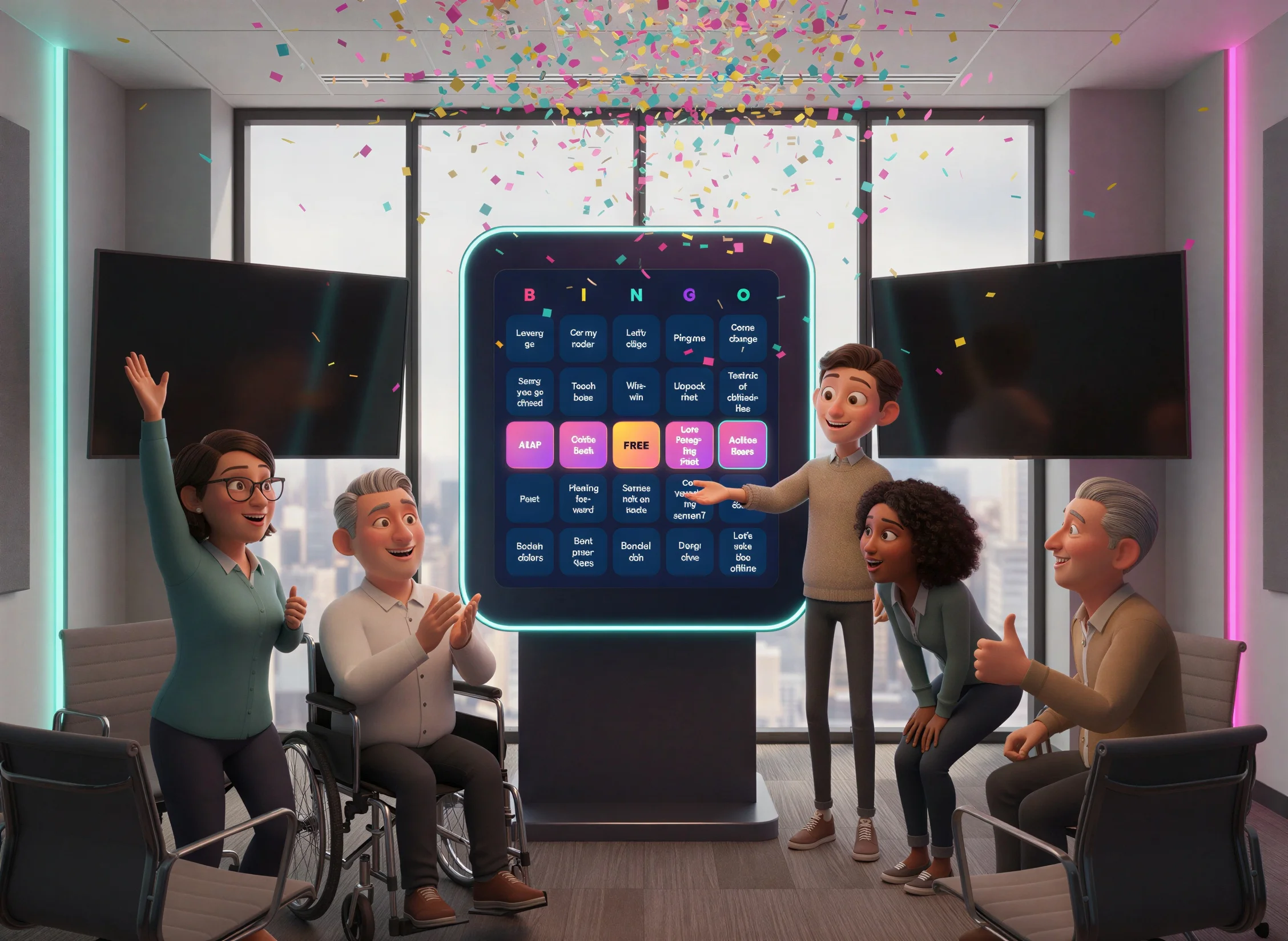
Want to transform your training sessions from passive lectures into interactive group activities? A custom bingo card generator lets facilitators create engaging icebreakers and participation games that work both in-person and virtually.
This tutorial walks you through building an interactive bingo card generator that you can embed in Rise 360, Storyline, SharePoint, or use as a standalone web tool. Your learners will tap squares as events happen during training, compete to get five in a row, and celebrate with confetti when they win.
Why Bingo Works for Training Engagement
Bingo games tap into something fundamental about how adults learn. Instead of passively absorbing information, participants actively watch for specific behaviors, terms, or events. This observation-based engagement keeps attention high throughout longer sessions.
The interactive bingo card generator you'll build includes several features that make it perfect for facilitators. Preloaded theme packs cover common scenarios like meetings, training sessions, parties, and holidays. The card randomizes automatically so every participant gets a unique arrangement.
Facilitators can add custom items specific to their content, and there's a built-in image export so participants can save their completed cards. A single configuration toggle lets you switch between facilitator mode (with full editing panel) and player mode (card only) depending on your deployment needs.
Understanding How the Bingo Card Generator Works
Before diving into setup, let's understand the key components. The generator creates a standard 5×5 bingo grid with a free space in the center. Behind the scenes, JavaScript handles several important tasks: shuffling items randomly across the card, tracking which cells players have marked, and storing progress so refreshing the page doesn't lose marked squares.
The code uses localStorage to remember the current card and marked cells between sessions. This persistence matters because participants might close their browser accidentally or need to switch devices during a long training. When they return, their card and progress remain intact.
The SHOW_PANEL Configuration Toggle
One of the most useful features for facilitators is the SHOW_PANEL configuration constant at the top of the JavaScript. When set to true, the full editing panel appears below the card with item management, presets, and export options. When set to false, the panel and its toggle button are completely hidden through a CSS class on the body element.
This means you can maintain a single HTML file and control the experience by changing one line. Facilitators use the panel version to set up custom items before a session. Players get a clean, distraction-free card.
Image Export That Works Everywhere
The export system uses the native HTML5 Canvas API to draw the bingo card pixel by pixel rather than relying on third-party screenshot libraries. This matters because tools like html2canvas fail inside the sandboxed iframes that Rise 360 and Articulate Review use.
When a user clicks Save as Image, the code renders the card to a canvas element, converts it to a PNG data URL, and displays it in a fullscreen overlay. The user can then long-press or right-click to save the image. On platforms that allow it, the code also attempts an automatic file download as a convenience.
Complete Code
Below is the complete HTML file. Copy everything exactly as shown, including all CSS and JavaScript. The code is self-contained with no external dependencies except Google Fonts loaded from a CDN.
bingo-card-generator.html
<!DOCTYPE html>
<html lang="en">
<head>
<meta charset="UTF-8">
<meta name="viewport" content="width=device-width, initial-scale=1.0">
<title>Bingo Card Generator</title>
<link href="https://fonts.googleapis.com/css2?family=Fredoka:wght@400;600;700&family=Space+Mono:wght@400;700&display=swap" rel="stylesheet">
<style>
* {
margin: 0;
padding: 0;
box-sizing: border-box;
-webkit-tap-highlight-color: transparent;
}
html {
touch-action: manipulation;
}
:root {
--bg-dark: #1a1a2e;
--bg-card: #16213e;
--accent-pink: #ff6b9d;
--accent-yellow: #ffd93d;
--accent-cyan: #4ecdc4;
--accent-purple: #a855f7;
--text-light: #f0f0f0;
--cell-bg: #0f3460;
--cell-marked: linear-gradient(135deg, #ff6b9d 0%, #a855f7 100%);
--free-space: linear-gradient(135deg, #ffd93d 0%, #ff6b9d 100%);
}
body {
font-family: 'Fredoka', sans-serif;
background: var(--bg-dark);
min-height: 100vh;
color: var(--text-light);
overflow-x: hidden;
}
/* ============================================
PANEL VISIBILITY TOGGLE
When body has .hide-panel, the panel and
its toggle button are completely hidden.
Controlled by SHOW_PANEL in the JS config.
============================================ */
body.hide-panel #panel,
body.hide-panel #panelToggleBtn {
display: none !important;
}
body::before {
content: '';
position: fixed;
top: 0;
left: 0;
width: 100%;
height: 100%;
background:
radial-gradient(circle at 20% 80%, rgba(78, 205, 196, 0.15) 0%, transparent 50%),
radial-gradient(circle at 80% 20%, rgba(255, 107, 157, 0.15) 0%, transparent 50%),
radial-gradient(circle at 50% 50%, rgba(168, 85, 247, 0.1) 0%, transparent 70%);
pointer-events: none;
z-index: 0;
}
.container {
position: relative;
z-index: 1;
max-width: 1000px;
margin: 0 auto;
padding: 1.5rem 2rem 3rem;
display: flex;
flex-direction: column;
align-items: center;
}
header {
text-align: center;
margin-bottom: 1rem;
flex-shrink: 0;
}
h1 {
font-size: 2.25rem;
font-weight: 700;
background: linear-gradient(135deg, var(--accent-pink), var(--accent-yellow), var(--accent-cyan));
-webkit-background-clip: text;
-webkit-text-fill-color: transparent;
background-clip: text;
text-shadow: 0 0 60px rgba(255, 107, 157, 0.5);
letter-spacing: -0.02em;
animation: titlePulse 3s ease-in-out infinite;
line-height: 1.2;
}
@keyframes titlePulse {
0%, 100% { filter: brightness(1); }
50% { filter: brightness(1.2); }
}
.subtitle {
font-family: 'Space Mono', monospace;
color: var(--accent-cyan);
margin-top: 0.35rem;
font-size: 0.85rem;
letter-spacing: 0.1em;
}
.controls {
display: flex;
flex-wrap: wrap;
gap: 0.75rem;
justify-content: center;
margin-bottom: 1.5rem;
flex-shrink: 0;
}
.btn {
font-family: 'Fredoka', sans-serif;
font-weight: 600;
padding: 0.6rem 1.15rem;
border: none;
border-radius: 50px;
cursor: pointer;
font-size: 0.85rem;
transition: all 0.3s cubic-bezier(0.4, 0, 0.2, 1);
position: relative;
overflow: hidden;
}
.btn::before {
content: '';
position: absolute;
top: 0;
left: -100%;
width: 100%;
height: 100%;
background: linear-gradient(90deg, transparent, rgba(255,255,255,0.2), transparent);
transition: left 0.5s;
}
.btn:hover::before {
left: 100%;
}
.btn:focus {
outline: none;
box-shadow: 0 0 0 3px rgba(78, 205, 196, 0.5);
}
.btn-primary {
background: linear-gradient(135deg, var(--accent-pink), var(--accent-purple));
color: white;
box-shadow: 0 4px 20px rgba(255, 107, 157, 0.4);
}
.btn-primary:hover {
transform: translateY(-2px) scale(1.02);
box-shadow: 0 6px 30px rgba(255, 107, 157, 0.6);
}
.btn-secondary {
background: var(--cell-bg);
color: var(--text-light);
border: 2px solid var(--accent-cyan);
}
.btn-secondary:hover {
background: var(--accent-cyan);
color: var(--bg-dark);
transform: translateY(-2px);
}
/* Main Content - Vertical Stack Layout */
.main-content {
display: flex;
flex-direction: column;
align-items: center;
width: 100%;
max-width: 1000px;
gap: 2rem;
}
/* Bingo Card - Viewport Responsive */
.bingo-wrapper {
display: flex;
flex-direction: column;
align-items: center;
justify-content: center;
width: 100%;
}
.bingo-card {
background: var(--bg-card);
border-radius: 20px;
padding: 1.25rem;
box-shadow:
0 25px 50px -12px rgba(0, 0, 0, 0.5),
0 0 0 1px rgba(255, 255, 255, 0.1),
inset 0 1px 0 rgba(255, 255, 255, 0.1);
width: min(95vw, 520px);
}
.bingo-header {
display: grid;
grid-template-columns: repeat(5, 1fr);
gap: 0.5rem;
margin-bottom: 0.5rem;
}
.bingo-letter {
text-align: center;
font-size: 1.5rem;
font-weight: 700;
padding: 0.25rem;
border-radius: 10px;
}
.bingo-letter:nth-child(1) { color: var(--accent-pink); }
.bingo-letter:nth-child(2) { color: var(--accent-yellow); }
.bingo-letter:nth-child(3) { color: var(--accent-cyan); }
.bingo-letter:nth-child(4) { color: var(--accent-purple); }
.bingo-letter:nth-child(5) { color: #06d6a0; }
.bingo-grid {
display: grid;
grid-template-columns: repeat(5, 1fr);
gap: 0.5rem;
}
.bingo-cell {
aspect-ratio: 1;
background: var(--cell-bg);
border-radius: 10px;
display: flex;
align-items: center;
justify-content: center;
text-align: center;
padding: 0.4rem;
font-size: 0.8rem;
line-height: 1.2;
cursor: pointer;
transition: all 0.3s cubic-bezier(0.4, 0, 0.2, 1);
border: 2px solid transparent;
word-break: break-word;
hyphens: auto;
overflow: hidden;
}
.bingo-cell:hover,
.bingo-cell:focus {
border-color: var(--accent-cyan);
transform: scale(1.05);
z-index: 1;
outline: none;
}
.bingo-cell:focus {
box-shadow: 0 0 0 3px rgba(78, 205, 196, 0.5);
}
.bingo-cell.marked {
background: var(--cell-marked);
color: white;
font-weight: 600;
box-shadow: 0 4px 15px rgba(255, 107, 157, 0.4);
animation: markPop 0.3s ease-out;
}
.bingo-cell.free-space {
background: var(--free-space);
color: var(--bg-dark);
font-weight: 700;
font-size: 0.85rem;
}
@keyframes markPop {
0% { transform: scale(1); }
50% { transform: scale(1.15); }
100% { transform: scale(1); }
}
/* Panel - Now Below the Card */
.panel {
background: var(--bg-card);
border-radius: 20px;
padding: 1.5rem;
box-shadow: 0 25px 50px -12px rgba(0, 0, 0, 0.5);
width: 100%;
max-width: 700px;
transition: opacity 0.3s, transform 0.3s;
}
.panel.hidden {
display: none;
}
.panel-grid {
display: grid;
grid-template-columns: 1fr 1fr;
gap: 1.5rem;
}
.panel-section {
display: flex;
flex-direction: column;
}
.panel-section.full-width {
grid-column: 1 / -1;
}
.panel-section h3 {
font-size: 1rem;
margin-bottom: 0.75rem;
display: flex;
align-items: center;
gap: 0.5rem;
}
.panel-section h3.pink { color: var(--accent-pink); }
.panel-section h3.yellow { color: var(--accent-yellow); }
.panel-section h3.cyan { color: var(--accent-cyan); }
.panel-section h3.purple { color: var(--accent-purple); }
.items-list {
max-height: 150px;
overflow-y: auto;
margin-bottom: 0.5rem;
padding-right: 0.5rem;
}
.items-list::-webkit-scrollbar {
width: 6px;
}
.items-list::-webkit-scrollbar-track {
background: var(--cell-bg);
border-radius: 3px;
}
.items-list::-webkit-scrollbar-thumb {
background: var(--accent-purple);
border-radius: 3px;
}
.item-tag {
display: inline-flex;
align-items: center;
gap: 0.4rem;
background: var(--cell-bg);
padding: 0.4rem 0.7rem;
border-radius: 16px;
margin: 0.2rem;
font-size: 0.8rem;
animation: fadeIn 0.3s ease-out;
}
@keyframes fadeIn {
from { opacity: 0; transform: translateY(-10px); }
to { opacity: 1; transform: translateY(0); }
}
.item-tag .remove-btn {
background: none;
border: none;
color: var(--accent-pink);
cursor: pointer;
font-size: 1rem;
line-height: 1;
padding: 0;
opacity: 0.7;
transition: opacity 0.2s;
}
.item-tag .remove-btn:hover {
opacity: 1;
}
.add-item-form {
display: flex;
gap: 0.5rem;
}
.add-item-form input {
flex: 1;
padding: 0.6rem 0.85rem;
border: 2px solid var(--cell-bg);
border-radius: 10px;
background: var(--bg-dark);
color: var(--text-light);
font-family: inherit;
font-size: 0.9rem;
transition: border-color 0.3s;
}
.add-item-form input:focus {
outline: none;
border-color: var(--accent-cyan);
}
.add-item-form input::placeholder {
color: rgba(240, 240, 240, 0.4);
}
.btn-add {
padding: 0.6rem 1rem;
background: var(--accent-cyan);
color: var(--bg-dark);
border: none;
border-radius: 10px;
cursor: pointer;
font-weight: 600;
font-size: 1.1rem;
transition: all 0.3s;
}
.btn-add:hover {
background: var(--accent-yellow);
}
.item-count {
font-family: 'Space Mono', monospace;
font-size: 0.75rem;
color: rgba(240, 240, 240, 0.6);
margin-top: 0.25rem;
}
.preset-btns {
display: flex;
flex-wrap: wrap;
gap: 0.5rem;
}
.btn-preset {
padding: 0.55rem 1rem;
font-size: 0.85rem;
background: var(--cell-bg);
border: 1px solid rgba(255, 255, 255, 0.1);
color: var(--text-light);
border-radius: 10px;
cursor: pointer;
transition: all 0.3s;
font-family: inherit;
}
.btn-preset:hover {
background: var(--accent-purple);
border-color: var(--accent-purple);
}
/* Export Preview Overlay */
.export-overlay {
display: none;
position: fixed;
top: 0;
left: 0;
width: 100%;
height: 100%;
background: rgba(0, 0, 0, 0.85);
z-index: 900;
justify-content: center;
align-items: center;
flex-direction: column;
gap: 1rem;
padding: 1rem;
}
.export-overlay.show {
display: flex;
}
.export-overlay img {
max-width: 90vw;
max-height: 70vh;
border-radius: 12px;
box-shadow: 0 10px 40px rgba(0,0,0,0.5);
}
.export-overlay .export-hint {
font-family: 'Space Mono', monospace;
color: var(--accent-cyan);
font-size: 0.85rem;
text-align: center;
max-width: 320px;
}
.export-overlay .btn-close-export {
font-family: 'Fredoka', sans-serif;
font-weight: 600;
padding: 0.6rem 1.5rem;
border: 2px solid var(--accent-cyan);
border-radius: 50px;
background: var(--cell-bg);
color: var(--text-light);
cursor: pointer;
font-size: 0.85rem;
transition: all 0.3s;
}
.export-overlay .btn-close-export:hover {
background: var(--accent-cyan);
color: var(--bg-dark);
}
.bingo-alert {
position: fixed;
top: 50%;
left: 50%;
transform: translate(-50%, -50%) scale(0);
background: linear-gradient(135deg, var(--accent-yellow), var(--accent-pink));
color: var(--bg-dark);
padding: 2rem 4rem;
border-radius: 20px;
font-size: 3rem;
font-weight: 700;
z-index: 1000;
box-shadow: 0 25px 100px rgba(255, 217, 61, 0.5);
opacity: 0;
transition: all 0.5s cubic-bezier(0.68, -0.55, 0.265, 1.55);
}
.bingo-alert.show {
transform: translate(-50%, -50%) scale(1);
opacity: 1;
}
.confetti {
position: fixed;
width: 10px;
height: 10px;
pointer-events: none;
z-index: 999;
animation: confettiFall 3s ease-out forwards;
}
@keyframes confettiFall {
0% {
transform: translateY(0) rotate(0deg);
opacity: 1;
}
100% {
transform: translateY(100vh) rotate(720deg);
opacity: 0;
}
}
/* Responsive - Tablet */
@media (max-width: 768px) {
.container { padding: 1rem; }
h1 { font-size: 1.75rem; }
.controls { gap: 0.5rem; }
.btn { padding: 0.5rem 0.9rem; font-size: 0.8rem; }
.bingo-card { padding: 1rem; border-radius: 16px; }
.bingo-header { gap: 0.5rem; margin-bottom: 0.5rem; }
.bingo-letter { font-size: 1.5rem; }
.bingo-grid { gap: 0.5rem; }
.bingo-cell { font-size: 0.85rem; padding: 0.5rem; border-radius: 10px; }
.panel { padding: 1.25rem; }
.panel-grid { grid-template-columns: 1fr; gap: 1rem; }
}
/* Responsive - Mobile */
@media (max-width: 500px) {
.container { padding: 0.75rem; }
h1 { font-size: 1.5rem; }
.subtitle { font-size: 0.7rem; }
.controls { gap: 0.35rem; margin-bottom: 1rem; }
.btn { padding: 0.4rem 0.6rem; font-size: 0.7rem; }
.bingo-card { padding: 0.6rem; border-radius: 12px; }
.bingo-header { gap: 0.25rem; margin-bottom: 0.25rem; }
.bingo-letter { font-size: 1.1rem; padding: 0.25rem; }
.bingo-grid { gap: 0.25rem; }
.bingo-cell { font-size: 0.6rem; padding: 0.25rem; border-radius: 6px; border-width: 1px; line-height: 1.15; }
.bingo-cell.free-space { font-size: 0.65rem; }
.panel { padding: 1rem; border-radius: 12px; }
.panel-section h3 { font-size: 0.9rem; }
.item-tag { font-size: 0.7rem; padding: 0.3rem 0.5rem; }
.items-list { max-height: 120px; }
.btn-preset { padding: 0.45rem 0.75rem; font-size: 0.75rem; }
.bingo-alert { padding: 1.25rem 2rem; font-size: 2rem; border-radius: 12px; }
}
</style>
</head>
<body>
<div class="container">
<header>
<h1>🎯 Bingo Card Generator</h1>
<p class="subtitle">// CREATE • PLAY • WIN //</p>
</header>
<div class="controls">
<button class="btn btn-primary" onclick="generateCard()">🎲 New Card</button>
<button class="btn btn-secondary" onclick="resetMarks()">↺ Reset Marks</button>
<button class="btn btn-secondary" id="panelToggleBtn" onclick="togglePanel()">☰ Hide Panel</button>
</div>
<div class="main-content">
<div class="bingo-wrapper">
<div class="bingo-card" id="bingoCard">
<div class="bingo-header">
<div class="bingo-letter">B</div>
<div class="bingo-letter">I</div>
<div class="bingo-letter">N</div>
<div class="bingo-letter">G</div>
<div class="bingo-letter">O</div>
</div>
<div class="bingo-grid" id="bingoGrid">
<!-- Cells generated by JS -->
</div>
</div>
</div>
<div class="panel" id="panel">
<div class="panel-grid">
<!-- Bingo Items Section -->
<div class="panel-section">
<h3 class="yellow">📝 Bingo Items</h3>
<div class="items-list" id="itemsList"></div>
<p class="item-count" id="itemCount">0 items (need 24 for full card)</p>
</div>
<!-- Add Items Section -->
<div class="panel-section">
<h3 class="cyan">➕ Add Custom Items</h3>
<form class="add-item-form" onsubmit="addItem(event)">
<input type="text" id="newItem" placeholder="Add new item..." maxlength="50">
<button type="submit" class="btn-add">+</button>
</form>
</div>
<!-- Presets Section -->
<div class="panel-section">
<h3 class="purple">🎁 Quick Presets</h3>
<div class="preset-btns">
<button class="btn-preset" onclick="loadPreset('meeting')">Meeting</button>
<button class="btn-preset" onclick="loadPreset('party')">Party</button>
<button class="btn-preset" onclick="loadPreset('holiday')">Holiday</button>
<button class="btn-preset" onclick="loadPreset('training')">Training</button>
</div>
</div>
<!-- Export Section -->
<div class="panel-section">
<h3 class="pink">💾 Export Card</h3>
<button class="btn btn-secondary" onclick="exportPNG()" style="width:100%">📷 Save as Image</button>
</div>
</div>
</div>
</div>
</div>
<div class="bingo-alert" id="bingoAlert">BINGO! 🎉</div>
<div class="export-overlay" id="exportOverlay" onclick="closeExport(event)">
<img id="exportImage" src="" alt="Bingo Card">
<p class="export-hint">Long-press or right-click the image to save</p>
<button class="btn-close-export" onclick="closeExportOverlay()">✕ Close</button>
</div>
<script>
// ========== CONFIGURATION ==========
// Set to false to completely hide the panel and its toggle button (player mode)
const SHOW_PANEL = true;
// ====================================
const STORAGE_KEYS = {
items: 'bingo_items',
card: 'bingo_current_card',
marks: 'bingo_marks',
panelVisible: 'bingo_panel_visible'
};
// State variables
let bingoItems = [];
let currentCard = [];
let panelVisible = true;
// Preset collections
const presets = {
meeting: [
"Someone's on mute", "Technical difficulties", "Can you see my screen?",
"Sorry, you go ahead", "Let's take this offline", "Circle back",
"Moving forward", "Synergy", "Low hanging fruit", "Deep dive",
"Touch base", "Bandwidth", "Ping me", "EOD", "ASAP",
"Action items", "Let's align", "Stakeholders", "Leverage",
"Best practices", "Win-win", "Game changer", "Pivot",
"Unpack that", "On my radar", "Loop in", "Drill down"
],
party: [
"Someone spills drink", "Awkward silence", "Bad karaoke",
"Photo booth time", "Dance floor empty", "Snack table raid",
"Late arrival", "Early leaver", "Phone checker", "DJ request",
"Group selfie", "Balloon pop", "Cake cutting", "Toast given",
"Someone's tipsy", "Playlist argument", "Ice breaker game",
"Gift opening", "Embarrassing story", "Food coma",
"Loud music complaint", "Surprise guest", "Decoration falls",
"Someone crying happy", "Dance circle forms", "Secret shared"
],
holiday: [
"Ugly sweater", "Fruitcake spotted", "Awkward hug", "Gift card given",
"Same gift twice", "Tree knocked over", "Caroling", "Mistletoe moment",
"Food coma", "Family photo chaos", "Kid tantrum", "Pet in costume",
"Secret Santa reveal", "Someone's late", "Burnt dish", "Champagne pop",
"Resolution made", "Midnight countdown", "Fireworks", "Cozy by fire",
"Hot cocoa break", "Gift wrapping fail", "Holiday movie on",
"Snow mentioned", "Cookie decorating", "Charity donation"
],
training: [
"Icebreaker activity", "Death by PowerPoint", "Group exercise",
"Awkward role play", "Coffee break", "Lost attendee",
"Tech issues", "Someone falls asleep", "Pop quiz panic",
"Note-taking frenzy", "Side conversation", "Participation trophy",
"Overtime session", "Lunch line chaos", "Certificate earned",
"Forgotten name tag", "Late from break", "Questions? Anyone?",
"Brain dump", "Engagement check", "Breakout room", "Flipchart full",
"Marker dried out", "Handout mistake", "Video won't play", "Success story"
]
};
// Initialize the application
function init() {
// Apply panel visibility config via CSS class
if (!SHOW_PANEL) {
document.body.classList.add('hide-panel');
}
loadFromStorage();
if (bingoItems.length === 0) {
bingoItems = [...presets.meeting];
saveToStorage();
}
updateItemsList();
if (SHOW_PANEL) {
updatePanelVisibility();
}
if (currentCard.length === 25) {
renderCard();
restoreMarks();
} else {
generateCard();
}
}
function loadFromStorage() {
try {
const savedItems = localStorage.getItem(STORAGE_KEYS.items);
if (savedItems) bingoItems = JSON.parse(savedItems);
const savedCard = localStorage.getItem(STORAGE_KEYS.card);
if (savedCard) currentCard = JSON.parse(savedCard);
const savedPanelVisible = localStorage.getItem(STORAGE_KEYS.panelVisible);
if (savedPanelVisible !== null) panelVisible = JSON.parse(savedPanelVisible);
} catch (e) {
console.error('Error loading from storage:', e);
}
}
function saveToStorage() {
try {
localStorage.setItem(STORAGE_KEYS.items, JSON.stringify(bingoItems));
localStorage.setItem(STORAGE_KEYS.card, JSON.stringify(currentCard));
localStorage.setItem(STORAGE_KEYS.panelVisible, JSON.stringify(panelVisible));
} catch (e) {
console.error('Error saving to storage:', e);
}
}
function saveMarks() {
try {
const cells = document.querySelectorAll('.bingo-cell');
const marks = Array.from(cells).map(c => c.classList.contains('marked'));
localStorage.setItem(STORAGE_KEYS.marks, JSON.stringify(marks));
} catch (e) {
console.error('Error saving marks:', e);
}
}
function restoreMarks() {
try {
const savedMarks = localStorage.getItem(STORAGE_KEYS.marks);
if (savedMarks) {
const marks = JSON.parse(savedMarks);
const cells = document.querySelectorAll('.bingo-cell');
cells.forEach((cell, i) => {
if (marks[i] && !cell.classList.contains('free-space')) {
cell.classList.add('marked');
}
});
}
} catch (e) {
console.error('Error restoring marks:', e);
}
}
function togglePanel() {
panelVisible = !panelVisible;
updatePanelVisibility();
saveToStorage();
}
function updatePanelVisibility() {
const panel = document.getElementById('panel');
const toggleBtn = document.getElementById('panelToggleBtn');
if (panelVisible) {
panel.classList.remove('hidden');
toggleBtn.textContent = '☰ Hide Panel';
} else {
panel.classList.add('hidden');
toggleBtn.textContent = '☰ Show Panel';
}
}
function addItem(e) {
e.preventDefault();
const input = document.getElementById('newItem');
const value = input.value.trim();
if (value && !bingoItems.includes(value)) {
bingoItems.push(value);
input.value = '';
updateItemsList();
saveToStorage();
}
}
function removeItem(index) {
bingoItems.splice(index, 1);
updateItemsList();
saveToStorage();
}
function updateItemsList() {
const list = document.getElementById('itemsList');
const count = document.getElementById('itemCount');
list.innerHTML = bingoItems.map((item, i) => `
<span class="item-tag">
${escapeHtml(item)}
<button class="remove-btn" onclick="removeItem(${i})">×</button>
</span>
`).join('');
count.textContent = `${bingoItems.length} items (need 24 for full card)`;
}
function escapeHtml(text) {
const div = document.createElement('div');
div.textContent = text;
return div.innerHTML;
}
function loadPreset(name) {
bingoItems = [...presets[name]];
updateItemsList();
saveToStorage();
generateCard();
}
// Fisher-Yates shuffle algorithm
function shuffle(array) {
const arr = [...array];
for (let i = arr.length - 1; i > 0; i--) {
const j = Math.floor(Math.random() * (i + 1));
[arr[i], arr[j]] = [arr[j], arr[i]];
}
return arr;
}
function generateCard() {
const shuffled = shuffle(bingoItems);
currentCard = [];
for (let i = 0; i < 24; i++) {
currentCard.push(shuffled[i] || `Item ${i + 1}`);
}
currentCard.splice(12, 0, 'FREE');
saveToStorage();
renderCard();
}
function renderCard() {
const grid = document.getElementById('bingoGrid');
grid.innerHTML = currentCard.map((item, i) => {
const isFree = i === 12;
const classes = ['bingo-cell'];
if (isFree) classes.push('free-space', 'marked');
return `<div class="${classes.join(' ')}" tabindex="0" onclick="toggleCell(this)" onkeydown="handleCellKey(event, this)" data-index="${i}">${escapeHtml(item)}</div>`;
}).join('');
}
function toggleCell(cell) {
if (cell.classList.contains('free-space')) return;
cell.classList.toggle('marked');
saveMarks();
}
function resetMarks() {
document.querySelectorAll('.bingo-cell').forEach(cell => {
if (!cell.classList.contains('free-space')) {
cell.classList.remove('marked');
}
});
saveMarks();
}
// Bingo check — kept available for facilitators to call via console
// or to wire up to a custom button if desired
function checkBingo() {
const cells = document.querySelectorAll('.bingo-cell');
const marked = Array.from(cells).map(c => c.classList.contains('marked'));
for (let r = 0; r < 5; r++) {
if (marked.slice(r * 5, r * 5 + 5).every(Boolean)) { showBingo(); return; }
}
for (let c = 0; c < 5; c++) {
if ([0,1,2,3,4].every(r => marked[r * 5 + c])) { showBingo(); return; }
}
if ([0,6,12,18,24].every(i => marked[i])) { showBingo(); return; }
if ([4,8,12,16,20].every(i => marked[i])) { showBingo(); return; }
// No bingo yet — silent, since this runs on every tap
}
function showBingo() {
const alert = document.getElementById('bingoAlert');
alert.textContent = 'BINGO! 🎉';
alert.classList.add('show');
for (let i = 0; i < 100; i++) createConfetti();
setTimeout(() => alert.classList.remove('show'), 3000);
}
function createConfetti() {
const confetti = document.createElement('div');
confetti.className = 'confetti';
confetti.style.left = Math.random() * 100 + 'vw';
confetti.style.top = '-10px';
confetti.style.background = ['#ff6b9d', '#ffd93d', '#4ecdc4', '#a855f7', '#06d6a0'][Math.floor(Math.random() * 5)];
confetti.style.borderRadius = Math.random() > 0.5 ? '50%' : '0';
confetti.style.animationDuration = (2 + Math.random() * 2) + 's';
document.body.appendChild(confetti);
setTimeout(() => confetti.remove(), 4000);
}
// Export as PNG — draws card natively to canvas (works in Rise/Review iframes)
function exportPNG() {
const scale = 2;
const cols = 5;
const rows = 5;
const cellSize = 90 * scale;
const gap = 6 * scale;
const pad = 16 * scale;
const headerH = 40 * scale;
const gridW = cols * cellSize + (cols - 1) * gap;
const gridH = rows * cellSize + (rows - 1) * gap;
const w = gridW + pad * 2;
const h = headerH + gridH + pad * 2 + gap;
const canvas = document.createElement('canvas');
canvas.width = w;
canvas.height = h;
const ctx = canvas.getContext('2d');
// Background
ctx.fillStyle = '#16213e';
roundRect(ctx, 0, 0, w, h, 20 * scale);
ctx.fill();
// BINGO header letters
const letters = ['B', 'I', 'N', 'G', 'O'];
const letterColors = ['#ff6b9d', '#ffd93d', '#4ecdc4', '#a855f7', '#06d6a0'];
ctx.textAlign = 'center';
ctx.textBaseline = 'middle';
ctx.font = `bold ${22 * scale}px Fredoka, sans-serif`;
letters.forEach((letter, i) => {
const x = pad + i * (cellSize + gap) + cellSize / 2;
const y = pad + headerH / 2;
ctx.fillStyle = letterColors[i];
ctx.fillText(letter, x, y);
});
// Grid cells
const cells = document.querySelectorAll('.bingo-cell');
cells.forEach((cell, idx) => {
const col = idx % cols;
const row = Math.floor(idx / cols);
const x = pad + col * (cellSize + gap);
const y = pad + headerH + gap + row * (cellSize + gap);
// Cell background
if (cell.classList.contains('free-space')) {
const grad = ctx.createLinearGradient(x, y, x + cellSize, y + cellSize);
grad.addColorStop(0, '#ffd93d');
grad.addColorStop(1, '#ff6b9d');
ctx.fillStyle = grad;
} else if (cell.classList.contains('marked')) {
const grad = ctx.createLinearGradient(x, y, x + cellSize, y + cellSize);
grad.addColorStop(0, '#ff6b9d');
grad.addColorStop(1, '#a855f7');
ctx.fillStyle = grad;
} else {
ctx.fillStyle = '#0f3460';
}
roundRect(ctx, x, y, cellSize, cellSize, 10 * scale);
ctx.fill();
// Cell text
const text = cell.textContent.trim();
const isMarkedOrFree = cell.classList.contains('marked') || cell.classList.contains('free-space');
ctx.fillStyle = cell.classList.contains('free-space') ? '#1a1a2e' : (isMarkedOrFree ? '#ffffff' : '#f0f0f0');
ctx.font = `${isMarkedOrFree ? 'bold' : 'normal'} ${11 * scale}px Fredoka, sans-serif`;
ctx.textAlign = 'center';
ctx.textBaseline = 'middle';
// Word-wrap text inside cell
wrapText(ctx, text, x + cellSize / 2, y + cellSize / 2, cellSize - 12 * scale, 14 * scale);
});
// Show in overlay
const dataURL = canvas.toDataURL('image/png');
const overlay = document.getElementById('exportOverlay');
const img = document.getElementById('exportImage');
img.src = dataURL;
overlay.classList.add('show');
// Also attempt download (works outside Rise/Review)
try {
const link = document.createElement('a');
link.download = 'bingo-card.png';
link.href = dataURL;
document.body.appendChild(link);
link.click();
document.body.removeChild(link);
} catch (e) {
// Download blocked in sandboxed iframe — user uses the overlay image instead
}
}
// Draw a rounded rectangle path
function roundRect(ctx, x, y, w, h, r) {
ctx.beginPath();
ctx.moveTo(x + r, y);
ctx.lineTo(x + w - r, y);
ctx.quadraticCurveTo(x + w, y, x + w, y + r);
ctx.lineTo(x + w, y + h - r);
ctx.quadraticCurveTo(x + w, y + h, x + w - r, y + h);
ctx.lineTo(x + r, y + h);
ctx.quadraticCurveTo(x, y + h, x, y + h - r);
ctx.lineTo(x, y + r);
ctx.quadraticCurveTo(x, y, x + r, y);
ctx.closePath();
}
// Word-wrap text into a cell
function wrapText(ctx, text, cx, cy, maxWidth, lineHeight) {
const words = text.split(/\s+/);
const lines = [];
let currentLine = '';
words.forEach(word => {
const testLine = currentLine ? currentLine + ' ' + word : word;
if (ctx.measureText(testLine).width > maxWidth && currentLine) {
lines.push(currentLine);
currentLine = word;
} else {
currentLine = testLine;
}
});
if (currentLine) lines.push(currentLine);
const totalHeight = lines.length * lineHeight;
const startY = cy - totalHeight / 2 + lineHeight / 2;
lines.forEach((line, i) => {
ctx.fillText(line, cx, startY + i * lineHeight);
});
}
// Close export overlay
function closeExportOverlay() {
document.getElementById('exportOverlay').classList.remove('show');
}
function closeExport(event) {
if (event.target === document.getElementById('exportOverlay')) {
closeExportOverlay();
}
}
// Keyboard navigation
function handleCellKey(event, cell) {
const key = event.key;
if (key === ' ' || key === 'Enter') {
event.preventDefault();
toggleCell(cell);
return;
}
if (['ArrowUp', 'ArrowDown', 'ArrowLeft', 'ArrowRight'].includes(key)) {
event.preventDefault();
navigateFromCell(cell, key);
}
}
function navigateFromCell(cell, key) {
const cells = Array.from(document.querySelectorAll('.bingo-cell'));
const currentIndex = cells.indexOf(cell);
const row = Math.floor(currentIndex / 5);
const col = currentIndex % 5;
let newIndex = currentIndex;
switch (key) {
case 'ArrowUp': newIndex = row === 0 ? 20 + col : currentIndex - 5; break;
case 'ArrowDown': newIndex = row === 4 ? col : currentIndex + 5; break;
case 'ArrowLeft': newIndex = col === 0 ? currentIndex + 4 : currentIndex - 1; break;
case 'ArrowRight': newIndex = col === 4 ? currentIndex - 4 : currentIndex + 1; break;
}
if (newIndex >= 0 && newIndex < 25) cells[newIndex].focus();
}
function initKeyboardNav() {
const buttons = Array.from(document.querySelectorAll('.controls .btn'));
buttons.forEach(btn => {
btn.addEventListener('keydown', (event) => {
const key = event.key;
const currentIndex = buttons.indexOf(event.target);
if (key === 'ArrowLeft' && currentIndex > 0) {
event.preventDefault();
buttons[currentIndex - 1].focus();
} else if (key === 'ArrowRight' && currentIndex < buttons.length - 1) {
event.preventDefault();
buttons[currentIndex + 1].focus();
} else if (key === 'ArrowDown') {
event.preventDefault();
const cells = document.querySelectorAll('.bingo-cell');
if (cells.length > 0) cells[Math.min(currentIndex, 4)].focus();
}
});
});
}
// Start the app
initKeyboardNav();
init();
</script>
</body>
</html>
Setting Up in Rise 360
Rise 360 makes embedding custom HTML straightforward through its Multimedia block. The process takes just a few minutes and requires no coding beyond what you've already copied.
Step 1: Prepare Your HTML File
Save the complete code above as bingo-card-generator.html on your computer. Make sure to include the .html extension so your browser recognizes the file type.
Step 2: Add a Multimedia Block
In your Rise 360 course, navigate to the lesson where you want the bingo game to appear. Click the plus icon to add a new block, then select Multimedia from the block library. Choose the Embed Code option rather than the video or audio options.
Step 3: Configure the Block
Rise 360 embeds work best when you upload the HTML file to a web host and reference it via URL. You can use services like GitHub Pages, Amazon S3, or your organization's web server. Once hosted, paste the URL into the Multimedia block's embed field.
Alternatively, for internal testing, you can use the iframe embed method. Paste this code into the embed field, replacing the URL with your hosted file location:
<iframe src="YOUR_HOSTED_URL_HERE" width="100%" height="800" frameborder="0"></iframe>
Set the block height to at least 800 pixels to ensure the full card and controls display without scrolling within the iframe.
Alternative Deployment Options
While Rise 360 provides the easiest authoring experience, this interactive bingo card generator works equally well in other environments. Each platform has its own considerations for embedding HTML content.
Storyline Integration
For Articulate Storyline projects, add the HTML file to your project as a web object. Insert a Web Object from the Insert menu, browse to your HTML file, and Storyline will package it with your published output. The interaction works identically whether running from a local folder or an LMS.
SharePoint Embedding
SharePoint supports HTML embedding through the Embed web part. Upload your HTML file to a document library, then add an Embed web part to your page. Reference the file's URL in the embed settings. Note that some organizations restrict JavaScript execution in SharePoint, so test thoroughly in your environment.
Standalone Web Tool
For maximum flexibility, host the HTML file on any web server. Facilitators can share the direct link with participants, who then access the bingo game in their browser. This approach works well for in-person training where participants use their own devices.
Customizing the Interactive Bingo Card Generator
The built-in presets cover common scenarios, but the real power comes from customization. You can modify the preset arrays directly in the code or use the interface to build custom item lists.
Modifying Presets in Code
Find the presets object in the JavaScript section. Each preset is an array of strings representing bingo items. To create a new preset for your specific training topic, add a new property to the object following this pattern:
const presets = {
    // existing presets...
    compliance: [
        "Policy mentioned", "Deadline reminder", "Documentation required",
        "Approval needed", "Training certificate", "Annual review",
        // add more items to reach 24+
    ]
};
Then add a corresponding button in the HTML panel section to make your new theme accessible through the interface.
Switching to Player Mode
For deployment to learners, change the SHOW_PANEL constant at the top of the JavaScript from true to false. This single change hides the entire editing panel and its toggle button, giving players a clean card-only interface. The panel controls are hidden using a CSS class on the body element, so there's no layout shift or leftover spacing.
Using the Custom Items Interface
For one-time customizations without editing code, use the Add Custom Items section in the panel. Type each item and click the plus button. Items persist in the browser's local storage, so facilitators can prepare custom cards before a session and find them ready when training begins.
Troubleshooting Common Issues
Even with straightforward implementations, certain situations can cause unexpected behavior. Here are solutions to the most common problems facilitators encounter.
Cards Not Persisting Between Sessions
If marked squares disappear when participants refresh the page, the browser may be blocking localStorage. This happens in private browsing modes or when browsers have strict privacy settings enabled. Advise participants to use regular browsing mode for the activity.
Image Export Shows Overlay Instead of Downloading
The Save as Image feature uses the native Canvas API to draw the card and displays it in a fullscreen overlay. In standard browsers, it also triggers an automatic download. Inside Rise 360 or Articulate Review, the automatic download is blocked by iframe sandboxing, so the overlay becomes the primary save method. Participants can long-press on mobile or right-click on desktop to save the image from the overlay.
Mobile Display Issues
The responsive CSS handles most mobile scenarios, but very small screens may truncate longer text items. Keep bingo items short—ideally under 20 characters—for the best mobile experience. The Hide Panel button helps maximize card visibility on smaller devices.
Key Takeaways
Building an interactive bingo card generator transforms training sessions from passive experiences into participatory events. The tool works across Rise 360, Storyline, SharePoint, and standalone web deployment, giving you flexibility in how you deliver the activity.
The key features that make this effective include randomized cards ensuring unique experiences for each participant, localStorage persistence preventing lost progress, built-in presets getting you started quickly, and the SHOW_PANEL toggle letting you control whether learners see the facilitator tools. The native canvas export works reliably across all platforms, including sandboxed environments like Rise 360 and Articulate Review.
Download the code, customize the presets for your training content, and watch engagement levels rise in your next session.
I apologize, the video was unexpectedly recorded without audio.